Using jquery document delegate to create Inline Editable fields.

I have come up with a technique to allow the user to edit content “Inline”.

Lets look at an example. I have a table of data, and the user needs to be able to edit the “Description” Field. Rather than take the user away from this ui view, I wish to enable “Inline Editing” like many powerful applications are offering these days.
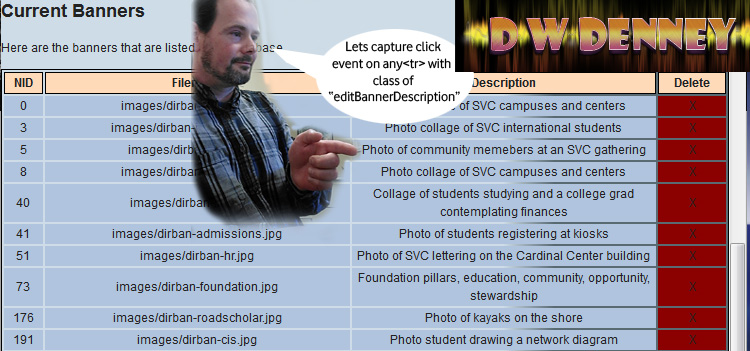
The first step is to assign functions to the correct fields and capture the users input events. The user would click on the field to select it, so lets set up a doc delegate event to capture a click on the description field. We need to use doc delegate because the data is dynamic and so isn’t  in the DOM when the events handlers are normally assigned. Read my post about JQuery Document Delegate to catch up on this technique. I am going to delegate the capture of a click event on any table row <tr> with a class of “editBannerDescription”

$("#bannerslist").on("click", ".editBannerDescription", function(e){
var thedata=$(this).html();
alert(thedata);
 });

Yeah boyeee we have captured a click event for any element in the bannerslist table, and have access to the content that is in the table cell.
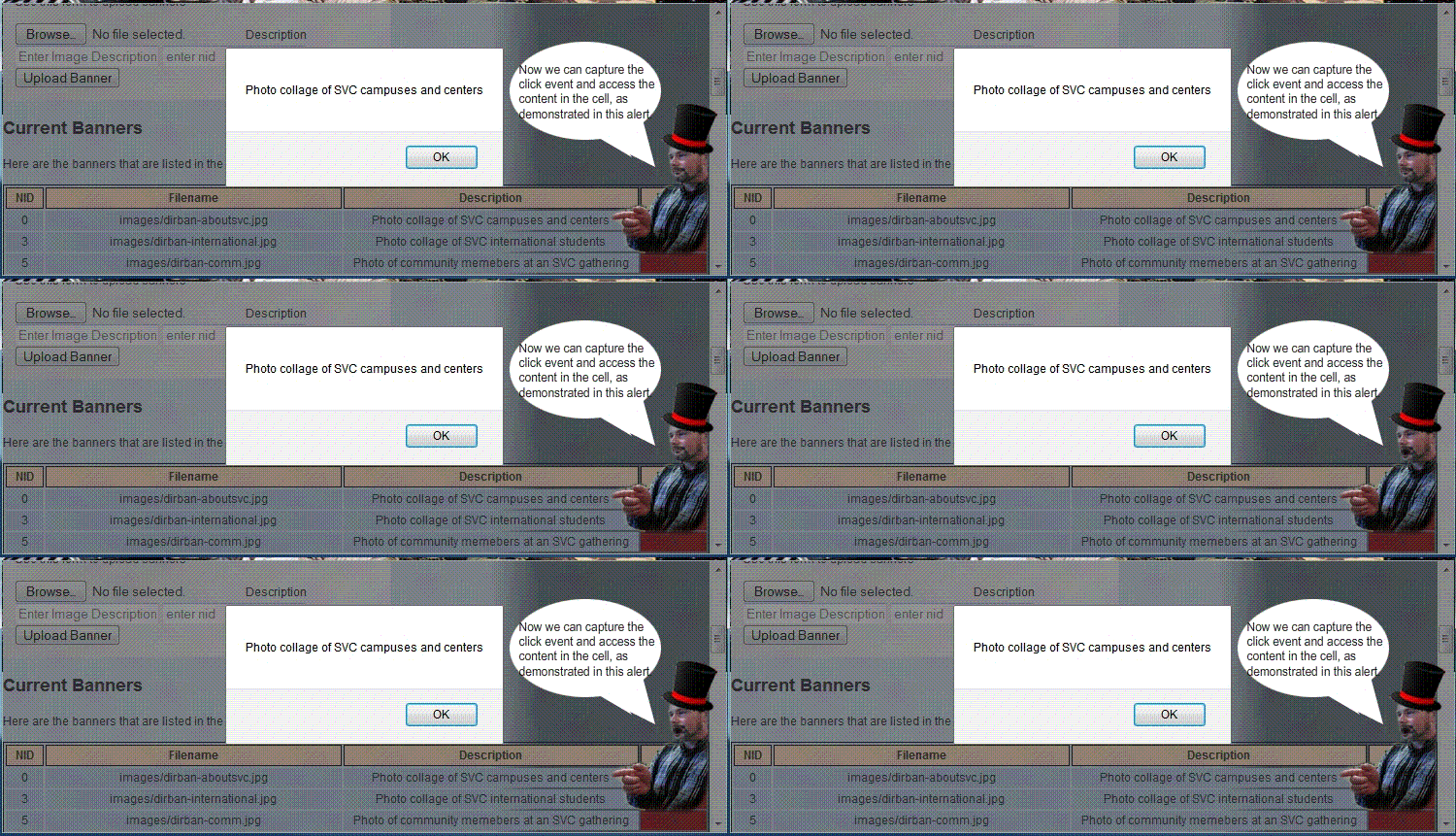
The next step is to alter the ui view so the user can edit the contents of the description table cell. I use a JQuery / JavaScript function to accomplish this:

enableEditDescription(object, bannernid){
     console.log("Message from enable Edit Description function: lets 
enable to edit the description of slide id:"+bannernid+" from
description of : "+$("#"+object).html()); }

I will continue to modify the enableEditDescription function to alter the ui view when the user clicks. I will grab the content from the cell, and replace the content with a text area whose value is the text that was in the cell.

The final code looks like this:

$("#bannerslist").on("click", ".editBannerDescription" , function(e){
var thedata=$(this).html();
var object=$(this).attr("id");
var getbannernid = object.match(/d+$/);
if(getbannernid){
    bannernid=parseInt(getbannernid[0], 10);
    console.log("Message from banner admin inc, here in doc delegate for 
     editBannerDescription with content of :"+thedata+" in cell 
     object id: "+object+" for banner nid: "+bannernid);
     enableEditDescription(object, bannernid);}
else{ alert('error getting id');}
 }); // end #bannerslist doc delegate actions
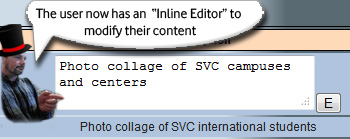
Now, when the user clicks a table cell with editable content, the cell changes into an inline editor.

The user needs to be able to “escape out” of the edit mode, discarding any changes that were made in the field.

Lets start with capturing the escape key press event when the user is in an editing field. We’ll use the good ol doc  delegate to capture this as so…

$("body").on("keydown", "textarea, input", function(e){
if(e.keyCode==27){
console.log("We have key press of escape key, on event target " + e.target.id + 
" lets exit edit mode without saving changes. Lets decide what place they're editing...");}
}); // end on keydown event handler

Now I can put back the original content of the cell and the user will have “escaped out” of edit mode.

The next step is going to be really fun. We are going to capture the press of the “Edit” button and save the new content into our cms.
SQL Server Resources

SQL server has some drastcally different techniques than one would use on MySQL. Here are the resources I have used to power through the projects I am assigned.

Truncation of insert when too large for field doesnt happen in SQL. It causes an error and the transaction is canceled.

http://www.mssqltips.com/sqlservertip/2857/silent-truncation-of-sql-server-data-inserts/


Here are the filter conditions for queries:  http://msdn.microsoft.com/en-US/library/k58xx95s%28v=vs.80%29.aspx


The “text” datatype has been depriciated, need to use varchar(max)now.

to change a fields datatype definition.

ALTER TABLE dbo.YourTableHere ALTER COLUMN YourTextColumnHere VARCHAR(MAX)

Check for url anchor code in a string with JavaScript

Well, I have come across the need to make sure that a string doesn’t contain any code that would make it a link. For example, I need to allow the user to enter a filename but not have any html code in it.

For this current situation:
<a href=”myfile.html”> is an invalid string.
http://myfile.html        is an invalid string.

I want the user to only be able to submit “myfile.html” and then I will handle the linking and referencing using server side code.
[code] function checkurl(){ // function to ensure no a href or quotes get in here.
console.log(“Lets check the url to make sure no a href or quotes”);
var thelink=$(“#slide_external_link”).val();
if(thelink !== “”){ // check for stuff we dont want.
if(thelink.match(/href=”([^”]*”)/g) || /^(f|ht)tps?:///i.test(thelink)){ // this looks like it comments out after i.test, but its workin.
console.log(“Can’t process the request because there is code inside the string. We only want the address of page without anchor code”);
alert(“Please remove any anchor code from the external link. An example of valid entry is: directory.asp_Q_pagenumber_E_520”);
return false; } } } // end check url funk[/code]
Now I can call this function as part of my client side validation upon form submit. I also need to implement a server side catch as well, just in case.

Sort a table using JavaScript and Jquery

I have come across the need to update a ui view of tabular content to be sorted by numeric order ascending. Javascript has a sort() that can be used for this purpose. I will use jquery for its powerful and easy selection capabilities.

Here is a sample of the tablular data:

Sequence Filename Description Enabled Delete
0 sliders/test.jpg Its a slider True X
1 sliders/test2.jpg Its another slider! True X
2 my file location my file description True X

When the user changes the sequence, I would like to update the ui view to reflect the changes in the display order.

I have given each row of the table that contains sortable data a class of “sort”

Then I use Jquery to select those rows, and sort them by the number in the sequence column.

 function sortthetable(whattable){ var $tbody = $('#'+whattable); $tbody.find('tr.sort').sort(function(a,b){ var tda = $(a).find('td:eq(0)').text(); // can replace 0 with the column you want to sort on var tdb = $(b).find('td:eq(0)').text(); // this will sort on the firstcolumn // if a < b return 1 return tda > tdb ? 1 // else if a > b return -1 : tda < tdb ? -1 // else they are equal - return 0 : 0; }).appendTo($tbody); } 

Working with money in JavaScript

Here are some great techinques that I have come up with while working as paperless applications developer at SVC:

Working with money can require a lot of scripts to ensure sucessful data entry , transfer and saving.

One thing that comes up is the errors that users can make when entering the figures for money into a form. The forms will have many different requirements for entering the monetary information, such as type of figures desired. For example, on one form, I need the user to only enter a whole dollar amount, and I need to make sure that no dollar signs, cent signs or punctuation make it into the calculations for totals.

Here is a script to clean an entry of all dollar signs, cent signs,  punctuation  and ensure that whole dollar amounts are entered. For this usage, I have set up the function to be passed a Jquery object of a textfield , and the function will get the value, fix it and put it back in.
[code language=”javascript”]
// strip out any $$ .00 and anything else
function stripper(who){
dirtynumber = $( who ).val();
cleannumber = parseInt(dirtynumber.replace(/[^d.]/g, “”));
if(isNaN(cleannumber)){cleannumber=0;}
$( who ).val(cleannumber); }
[/code]

Here is a script to compare two values to make sure they are the same:

[code language=”html”]
// ensure budget items total match budget request
var amount1 =  parseInt($(“#fund_request”).val().replace(/[^d.]/g, “”));
var amount2 =  parseInt($(“#justification_budget_total”).val().replace(/[^d.]/g, “”));
if(isNaN(amount1)){amount1=0}
if(isNaN(amount2)){amount2=0}
if(amount1 !== amount2){alert(“The total budget request : ” + amount1 + ” doesn’t equal the budget justification item total: ” + amount2 + “. Please check your numbers and re submit.”);return false;}
[/code]

Budget Request Form

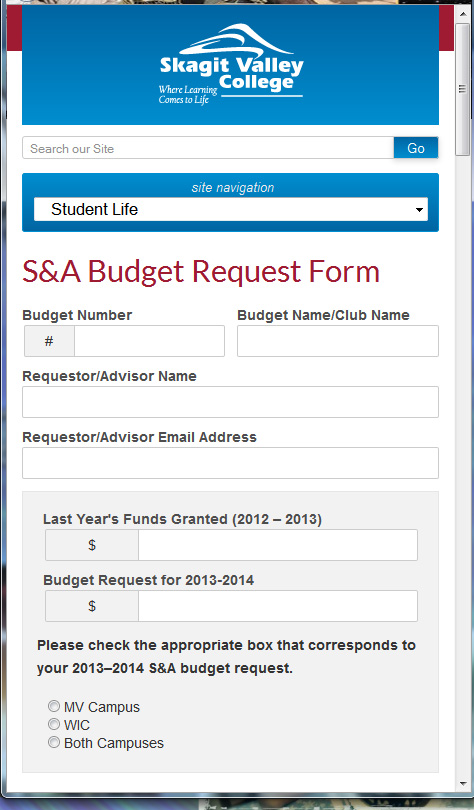
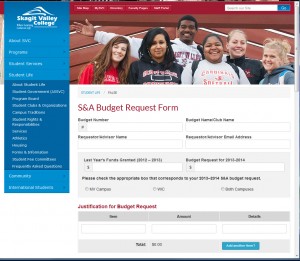
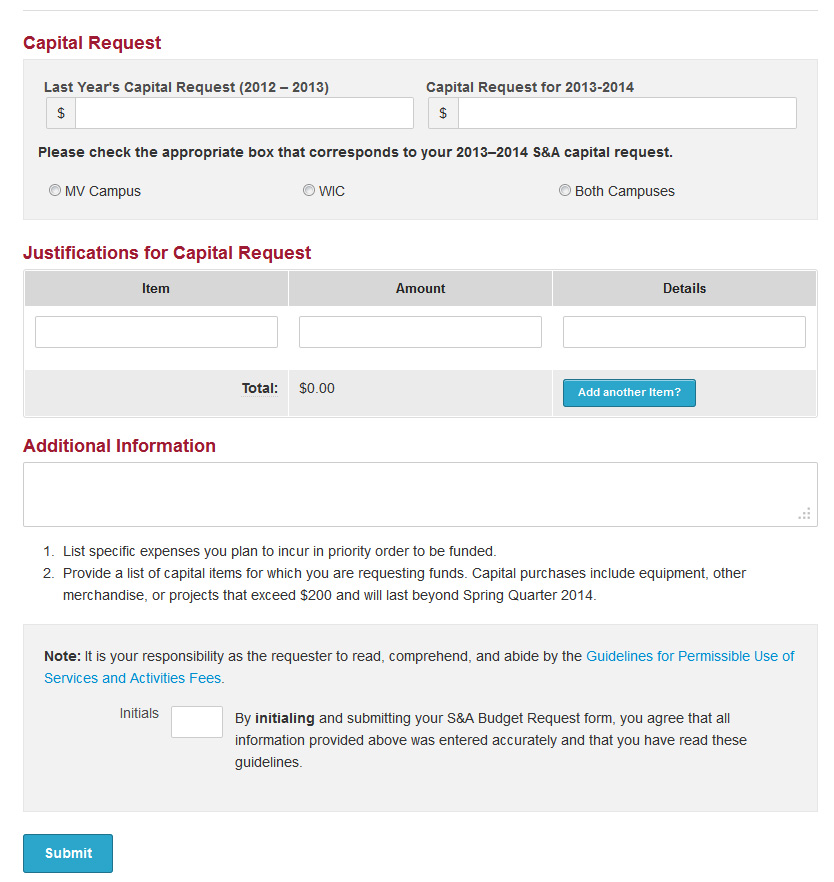
The Student Life services at Skagit Valley college offer clubs to the students. This service and activities organization requires certain paperwork for the club and organization to stay active and receive funds. The S&A Budget Request Form is a major source of paperwork for these clubs. I have been tasked to create an online form to replace the paper trail for this subject. The forms are very complex with a lot of required information and many dynamically generated fields. This lead to some very complicated problems to solve using my test driven development techniques.

One such problem arises when the users choses “Add another item” to their budget request. I must then adjust the client and server side validation to include the new item, and adjust the balance to reflect the new fields. The client side validation is using JavaScript, but the server side validation is using the ancient language of classic asp also known as vbscript. This is a challenging situation, and I responded with some innovative solutions.

On the client side, adding new rows to the table of “Justification for Budget Request” can be a simple javascript (JQuery) code:

 $("#addline_budget").on("click", function(){ // this sets the event handler to capture button press 
var new_justification_budget_item_count = Number($("#justification_budget_item_count").val()) + 1; // this keeps track of how many rows are in the table.
 $("#addline_budget").closest('tr').prev().after("< tr>< td> my new row< /td>< /tr>");// this will add a new row to the table. 

This form has some pre existing conditions that I must work with, for example the system to keep track of what fields are required for the client side validation uses a hidden field with the names of the required field. This actually makes it a little easier to add dynamic validation by simply adding the name of the field into the “required” list.

 var new_required = $("#required").val() + ",justification_budget_item" + new_justification_budget_item_count + ",justification_budget_amount" + new_justification_budget_item_count; $("#required").val(new_required); 

This form also uses several of the custom scripts I have stored in my application development cloud: Cleaning money values of dollar signs, cents etc.
Basic email validation, and budget balancing.

Stock Image libraries

Here are some great resources for getting images to use without copyright issues. NOTE: I firmly believe that if you can’t take the picture or make the graphics, then why the f are you calling yourself a designer, but in a pinch, these are available. If I were to use them in  a project, I would make sure to edit them so they are not recognizable as the original free image.

https://unsplash.com/

The Los Angeles County Museum Of Art

NASA

Center for disease control

Job History Of Chef At The Olive Garden

Culinary Team Certified.
For my first step in becoming an award winning chef at The Olive Garden, I undergo intensive hands-on training for 2 weeks prior to the grand opening of the new restaurant in Burlington Washington. After successfully completing this training, I am awarded with the “Culinary Team Certified” pin and a full time position as head chef.

Employee Of The Month.
This was my first award, I was chosen as first culinary team member employee of the month, soon after the restaurant opened. This award is given by the management for stellar performance under fast paced conditions.

Certified Trainer.
I was nominated to enter the certified trainer program by my supervisor, who told me that “I had skill and reliability that was unparalleled in her time at Olive Garden.” I took classes on training procedures, food safety and sanitation standards, and general knowledge of the dishes and recipes. I  easily passed all the  tests with high scores, and became Certified Trainer for the kitchen, responsible for training new hires to the high standards of quality and service expected by my supervisors.

Pace Setting Award.
This award is gained by obtaining the highest scores in the entire region in every category including food quality, customer satisfaction, corporate “Total Quality” inspections, State Health Department inspections.

P-Pace: Personalizing the dining experience by understanding the guest’s time expectations (are they in a hurry, are they meeting friends and taking time to catch up, etc…)
A- Attentiveness: Building connections with our guests, being attentive to their needs and making them feel comfortable. Smile, be friendly, approachable and laid back.
C-Caring: Have a spirit of warmth and generosity that shows through my actions. BE KIND…. always look for an opportunity to show kindness ESPECIALLY in a situation with a dis-satisfied guest.
E- Excellence. Set High expectations and not just meet them but exceed them. Deliver on those Goals 100%!


Forbes 100 best companies.
Proud to be part of the team that has earned the award to be one of the 100 best places to work.


Primo Chef Award.
I am very proud of this award because I was chosen by my peers. My fellow co workers nominated me for this award due to my stellar performance, outstanding food quality, speed and my great work attitude.


Service Team Certified.
This is awarded for completing front of house training. I didn’t feel complete with only back of the house skills, I decided to round out my training by learning how to provide outstanding service to customers.

Banner and Slider Administration Control Panel

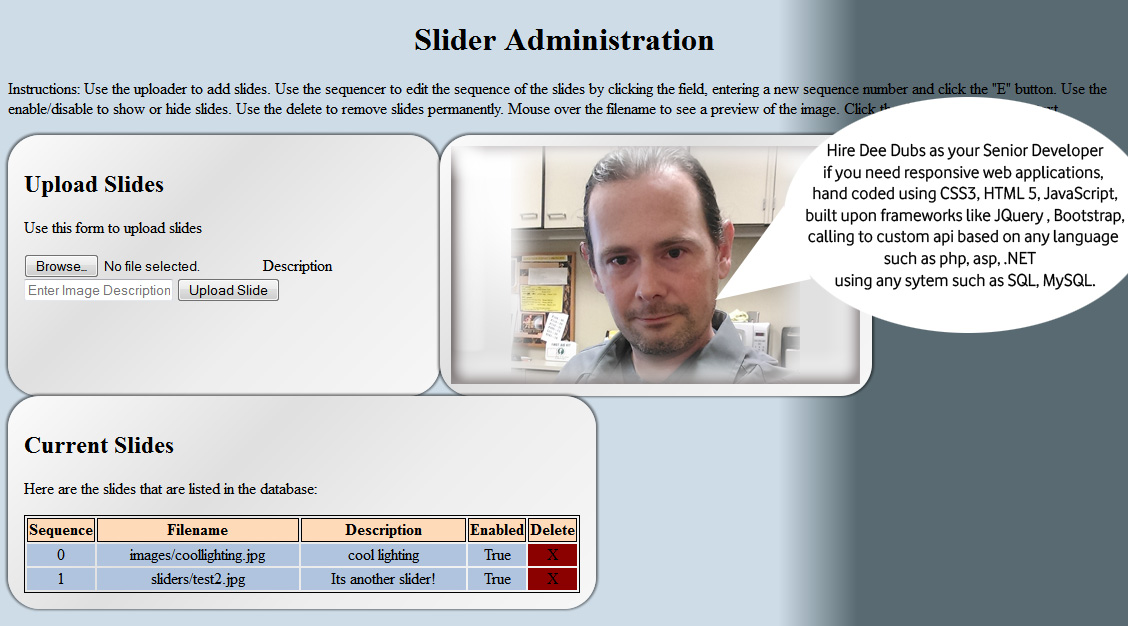
Due to my years of experience designing custom content management systems, I have been tasked with creating a plug in to the CMS at Skagit Valley College that will allow staff to administer their respective home page image sliders via a web based admin control panel. Features include list of slides, ability to upload new slides, delete slides, arrange the sequence of the slides, and control the display of the slides. The slides are live at www.skagit.edu

The users will also have the ability to administer home page banners. Features include list of banners, ability to upload new banners, assign banner to homepage, delete banners.

The purpose of this project is to reduce webmaster workload by allowing staff to admin their respective home page sliders and banners. I will be taking on the role of Senior Developer for this project, and will perform the duties of all roles including : Information Architect,  User Experience Designer, User Interface Designer, Web Application Developer, SQL Database Administration.

I begin with the I/A documentation, the key to every successful project. After creating the Creative Brief, and clearly stating the objectives, purpose, target audience and timeline for the project, I then create the Flowcharts, Wireframes and User Stories.

With all the proper documentation in place, I have a clear project scope and will begin the design, develop and deployment by using my project management cloud.

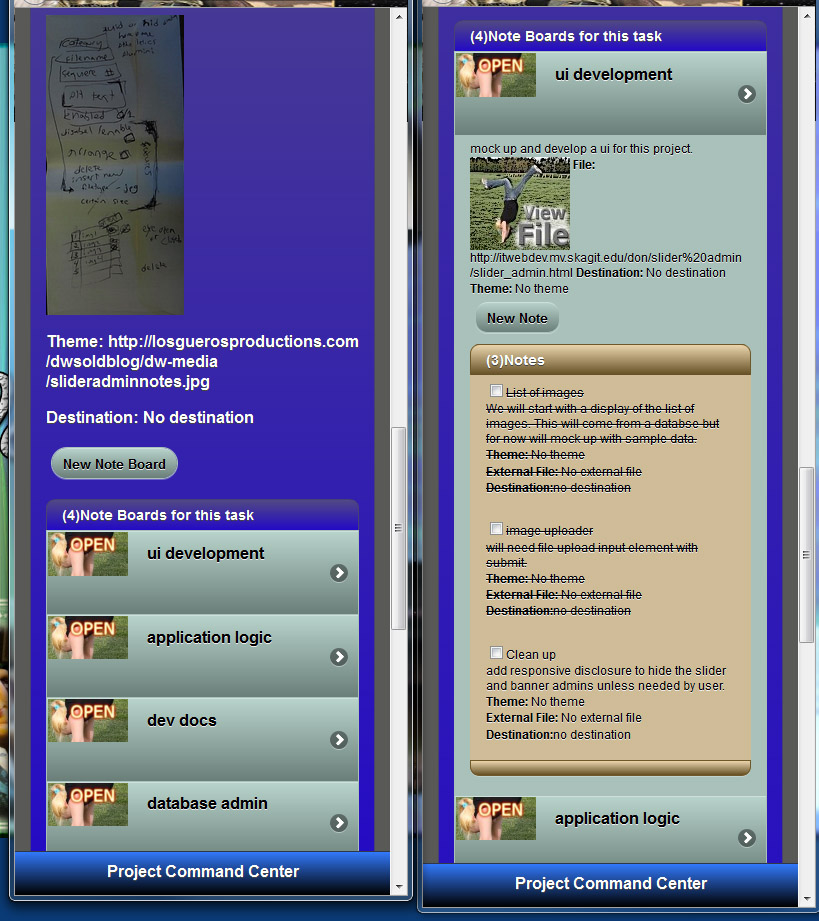
From the screenshot you can see the hand written notes from meeting with the client, and the task lists that I created for the project. Each task list is filled with the tasks that I need to get done, and notes about each topic. It really helps keep me on track and manage the progress for the project.

I am going to develop an object oriented api for this project, with the application programming interface expressed in javascript and vbscript.

The api to handle the upload of slides will be interesting, since there isn’t a build in method for capturing the form upload data. We are using a third party library to handle the upload, and I haven’t even seen it yet.

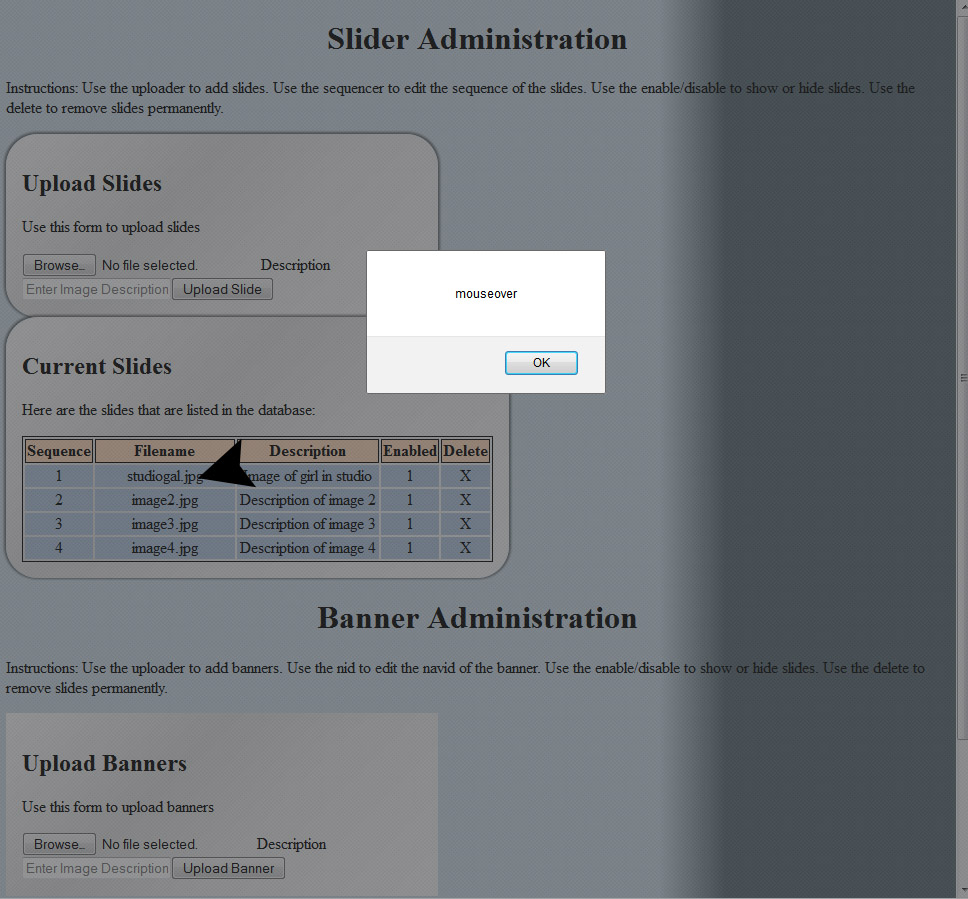
I have  the list of slides layout in a table, since its the perfect use of tablular data. The list is generated dynamically and injected into the dom via a call to the api. This has the effect of negating my events that I place on the image to have a mouseover thumbnail preview. I  need to use the doc delegate that I deved into in a previous article.

Im going to delegate the event to my slides layout table, and then apply it to any td element with the class of “previewzone”. So lets slap it on there and see if it works…

$("#slideslist").on("mouseover mouseout", ".previewzone", function(e){
alert(e.type);
});
There is now a mouseover and mouseout event on any td with the class of “previewzone”

Sweet! Now I can set up the event handler so that it displays a preview of the image on mouseover, and hides it on mouseout.

Creating and maintaining secure passwords using Password Generators

Creating secure passwords can be pretty lame. Most sites have different requirements such as number of characters, the need to include special characters, capital letters, and numbers. I have found some great resources for creating passwords generated to specifications such as number of characters, special characters and other requirements.