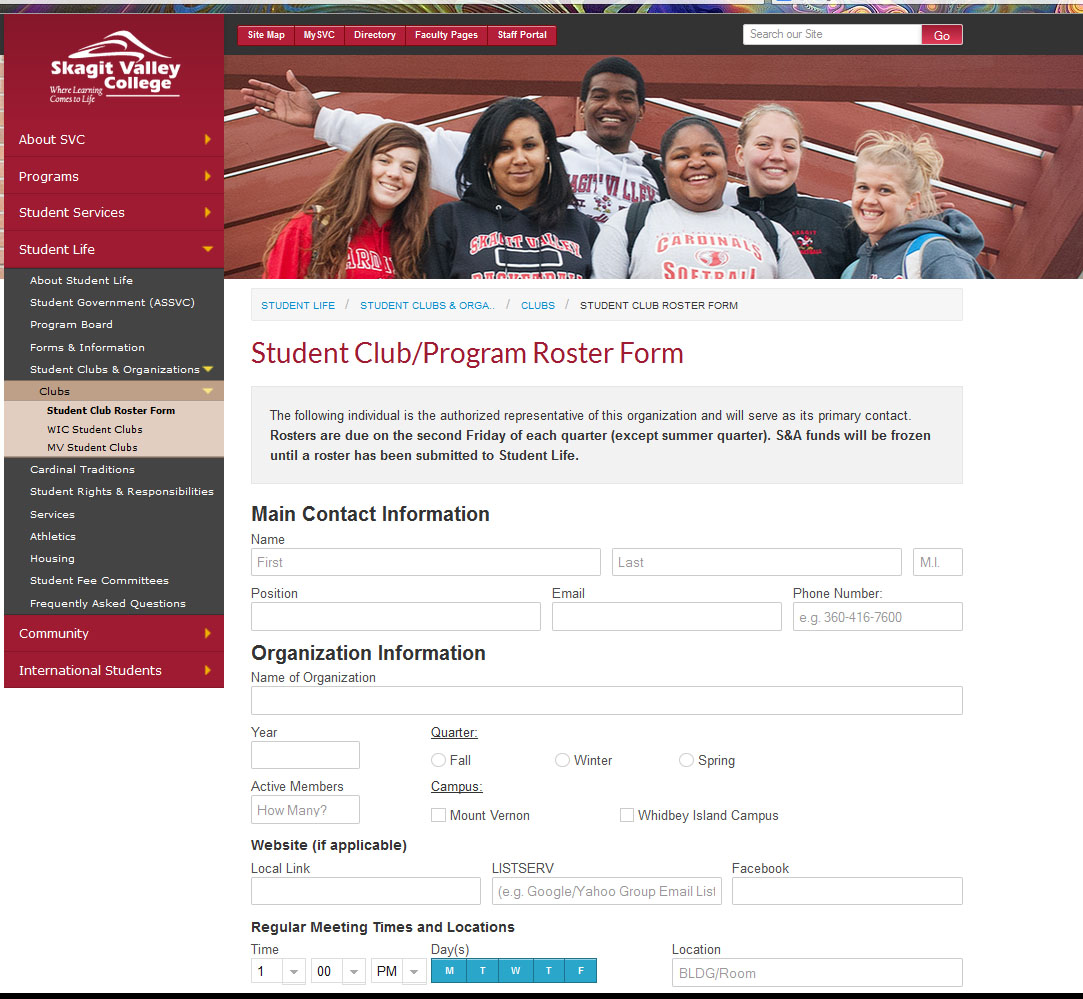
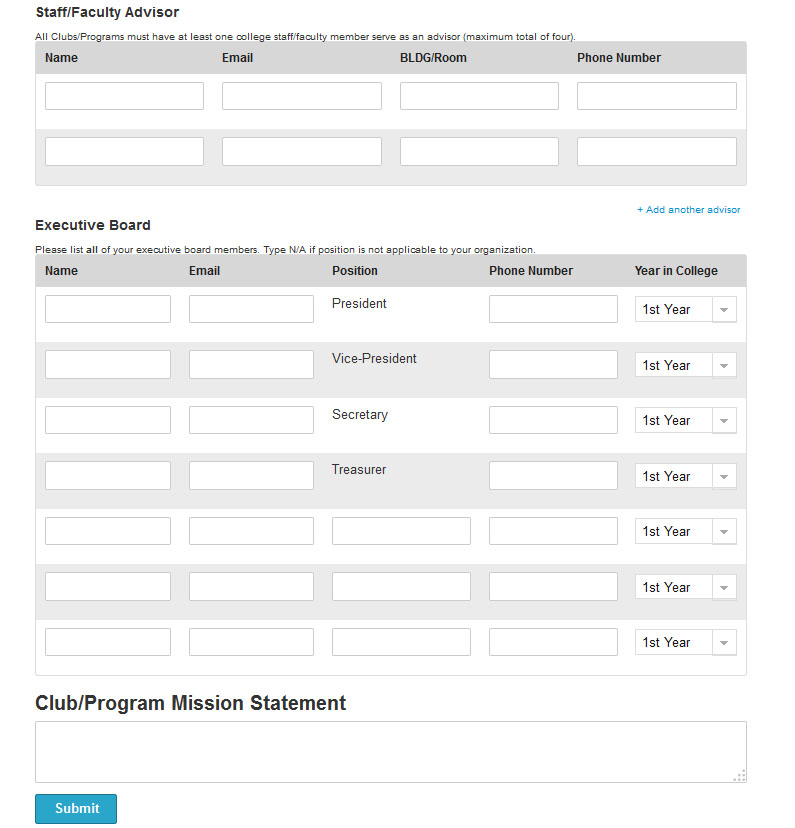
I was assigned the task of turning the Student Club Roster Form paperwork into a paperless web application. This was a challenging project involving a lot of dynamic elements and on the fly data validation.
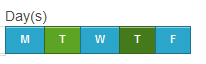
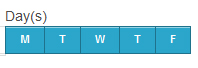
I created a day of the week chooser to hide some intrusive and unintuitive form checkboxes and turn it into a slick ui with a responsive modern design.
See this post for more information about the day of the week chooser.
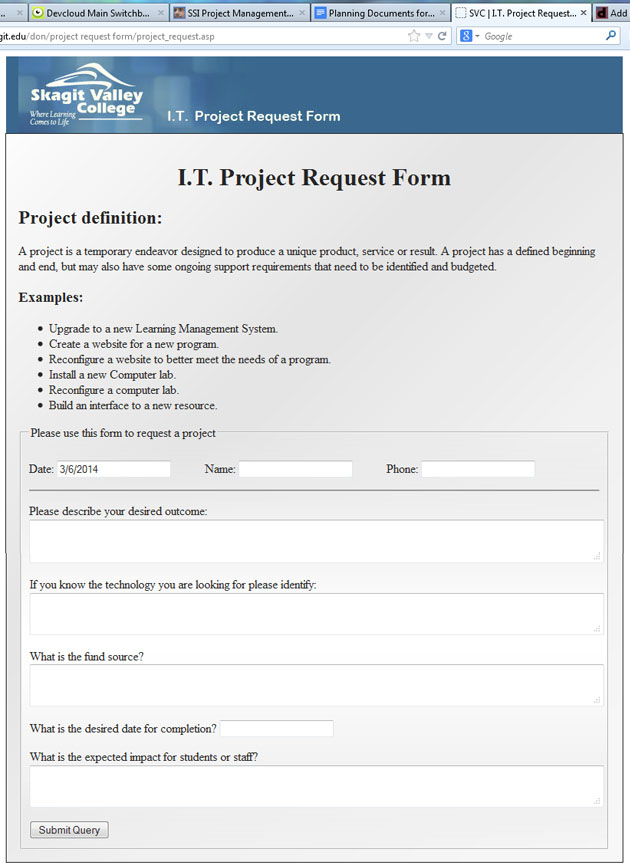
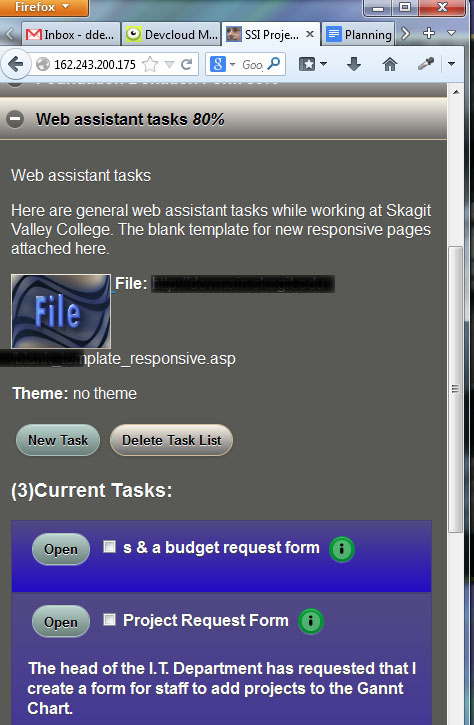
The head of the I.T. Department at Skagit Valley College asked me to convert the paper form that was used for submitting an I.T. Project Request. I used my 3DW DevCloud Tools to whip out this project in a small amount of time. My project management cloud is the perfect way to track and complete this project. As you can see from the tabs in the screen shot, I’m logged into my DevCloud, and have my task lists, notes and planning documents right at my fingertips. These powerful tools allow me to compete projects quickly and efficiently, using the best practices and techniques I have honed through the years of web application development at Skagit Valley College.
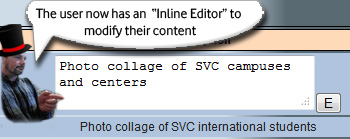
I have come up with a technique to allow the user to edit content “Inline”.
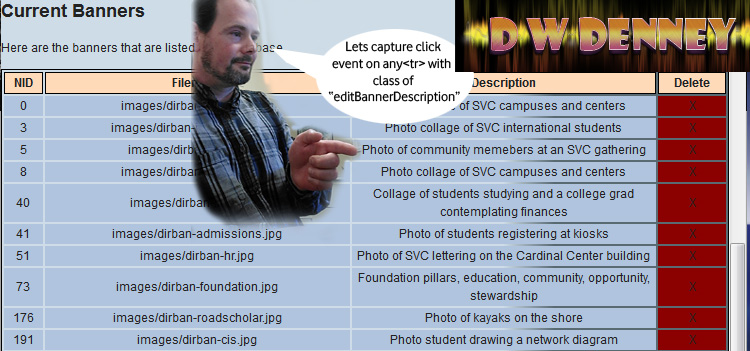
Lets look at an example. I have a table of data, and the user needs to be able to edit the “Description” Field. Rather than take the user away from this ui view, I wish to enable “Inline Editing” like many powerful applications are offering these days.
The first step is to assign functions to the correct fields and capture the users input events. The user would click on the field to select it, so lets set up a doc delegate event to capture a click on the description field. We need to use doc delegate because the data is dynamic and so isn’t in the DOM when the events handlers are normally assigned. Read my post about JQuery Document Delegate to catch up on this technique. I am going to delegate the capture of a click event on any table row <tr> with a class of “editBannerDescription”
$("#bannerslist").on("click", ".editBannerDescription", function(e){
var thedata=$(this).html();
alert(thedata);
 });
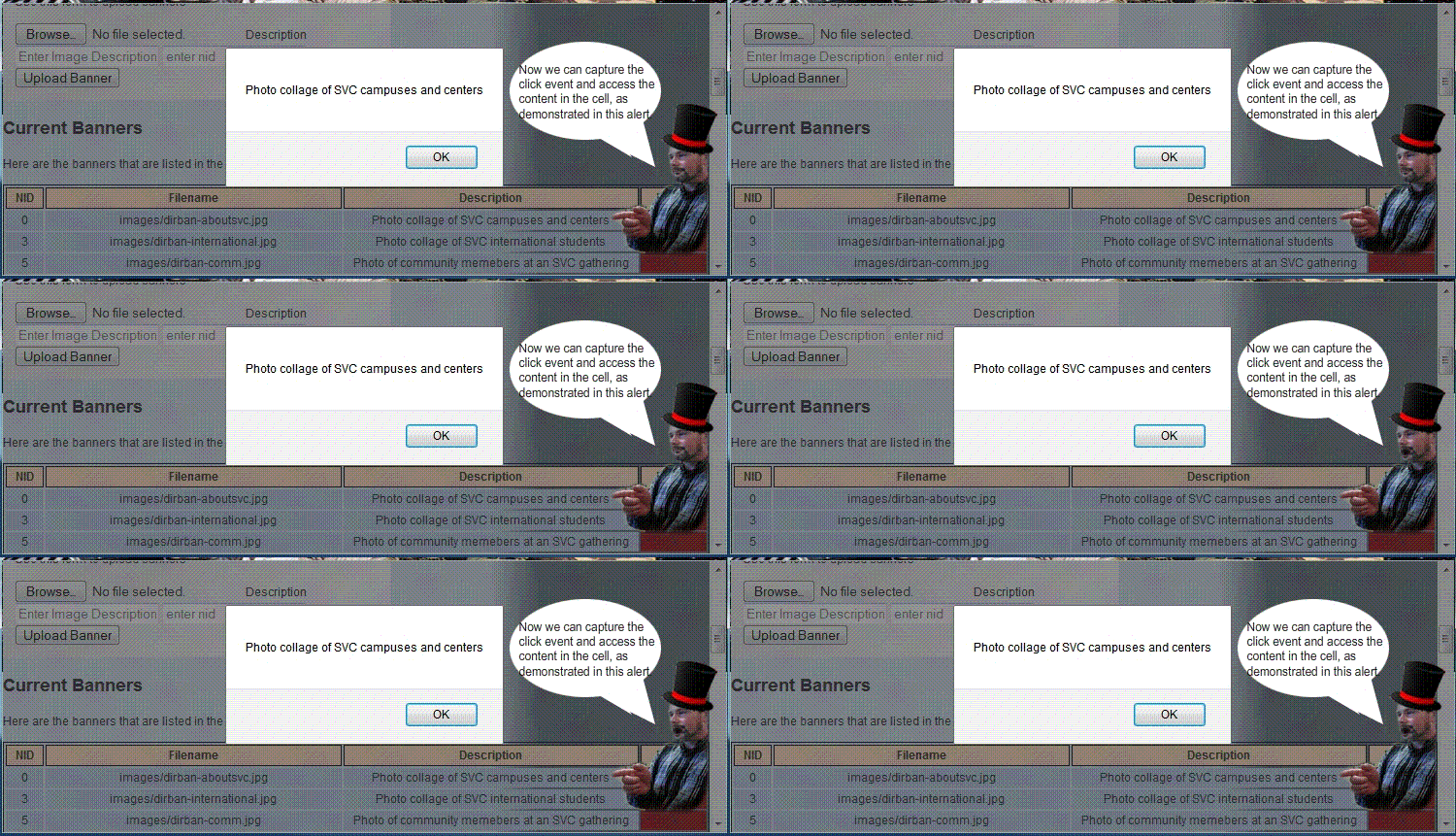
Yeah boyeee we have captured a click event for any element in the bannerslist table, and have access to the content that is in the table cell.
The next step is to alter the ui view so the user can edit the contents of the description table cell. I use a JQuery / JavaScript function to accomplish this:
enableEditDescription(object, bannernid){
     console.log("Message from enable Edit Description function: lets
enable to edit the description of slide id:"+bannernid+" from
description of : "+$("#"+object).html()); }
I will continue to modify the enableEditDescription function to alter the ui view when the user clicks. I will grab the content from the cell, and replace the content with a text area whose value is the text that was in the cell.
The final code looks like this:
$("#bannerslist").on("click", ".editBannerDescription" , function(e){
var thedata=$(this).html();
var object=$(this).attr("id");
var getbannernid = object.match(/d+$/);
if(getbannernid){
    bannernid=parseInt(getbannernid[0], 10);
    console.log("Message from banner admin inc, here in doc delegate for
     editBannerDescription with content of :"+thedata+" in cell
     object id: "+object+" for banner nid: "+bannernid);
     enableEditDescription(object, bannernid);}
else{ alert('error getting id');}
 }); // end #bannerslist doc delegate actions
Now, when the user clicks a table cell with editable content, the cell changes into an inline editor.
The user needs to be able to “escape out” of the edit mode, discarding any changes that were made in the field.
Lets start with capturing the escape key press event when the user is in an editing field. We’ll use the good ol doc delegate to capture this as so…
$("body").on("keydown", "textarea, input", function(e){
if(e.keyCode==27){
console.log("We have key press of escape key, on event target " + e.target.id +
" lets exit edit mode without saving changes. Lets decide what place they're editing...");}
}); // end on keydown event handler
Now I can put back the original content of the cell and the user will have “escaped out” of edit mode.
The next step is going to be really fun. We are going to capture the press of the “Edit” button and save the new content into our cms.
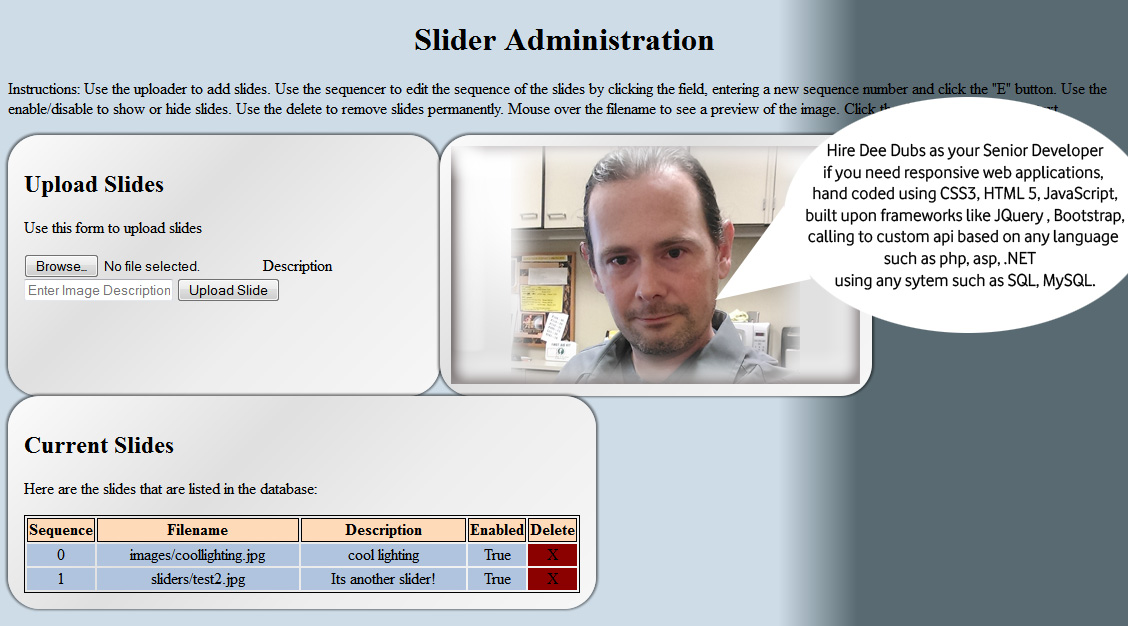
Due to my years of experience designing custom content management systems, I have been tasked with creating a plug in to the CMS at Skagit Valley College that will allow staff to administer their respective home page image sliders via a web based admin control panel. Features include list of slides, ability to upload new slides, delete slides, arrange the sequence of the slides, and control the display of the slides. The slides are live at www.skagit.edu
The users will also have the ability to administer home page banners. Features include list of banners, ability to upload new banners, assign banner to homepage, delete banners.
The purpose of this project is to reduce webmaster workload by allowing staff to admin their respective home page sliders and banners. I will be taking on the role of Senior Developer for this project, and will perform the duties of all roles including : Information Architect, User Experience Designer, User Interface Designer, Web Application Developer, SQL Database Administration.
I begin with the I/A documentation, the key to every successful project. After creating the Creative Brief, and clearly stating the objectives, purpose, target audience and timeline for the project, I then create the Flowcharts, Wireframes and User Stories.
With all the proper documentation in place, I have a clear project scope and will begin the design, develop and deployment by using my project management cloud.
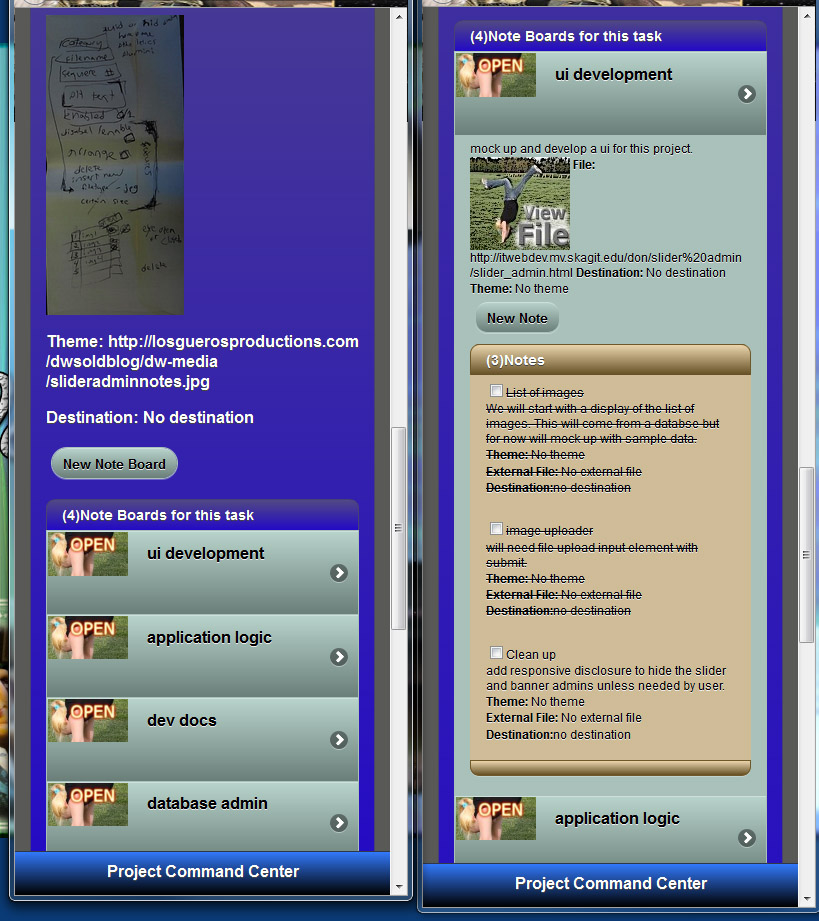
From the screenshot you can see the hand written notes from meeting with the client, and the task lists that I created for the project. Each task list is filled with the tasks that I need to get done, and notes about each topic. It really helps keep me on track and manage the progress for the project.
I am going to develop an object oriented api for this project, with the application programming interface expressed in javascript and vbscript.
The api to handle the upload of slides will be interesting, since there isn’t a build in method for capturing the form upload data. We are using a third party library to handle the upload, and I haven’t even seen it yet.
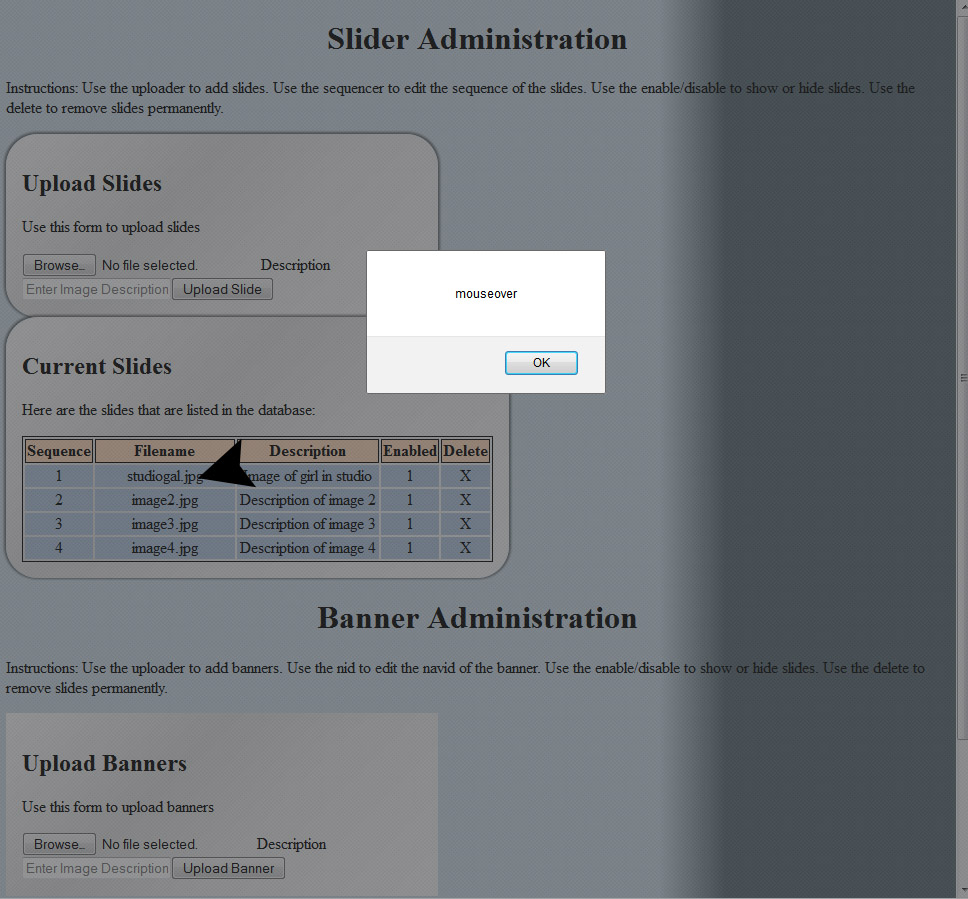
I have the list of slides layout in a table, since its the perfect use of tablular data. The list is generated dynamically and injected into the dom via a call to the api. This has the effect of negating my events that I place on the image to have a mouseover thumbnail preview. I need to use the doc delegate that I deved into in a previous article.
Im going to delegate the event to my slides layout table, and then apply it to any td element with the class of “previewzone”. So lets slap it on there and see if it works…
Creating secure passwords can be pretty lame. Most sites have different requirements such as number of characters, the need to include special characters, capital letters, and numbers. I have found some great resources for creating passwords generated to specifications such as number of characters, special characters and other requirements.
There are some things that should not be handled with responsive design. For example I’m creating bonus content for devices with very large screens. Using responsive design, the common technique is to load this bonus content into the dom but not show it for certain size screens. However this still takes its toll on the load time and would impact performance of the device since it would still have the content in its memory.
For the bonus content, I am going to display a large graphic image only on devices that meet a certain height and width requirement. This can be easily accomplished without a third party plug in or framework using standard JavaScript.
Content on Samsung Galaxy Mobile Phone
The JavaScript behind this is surprisingly simple and cross browser compatible. I have tested successfully on PC’s with new ie and firefox, surface pro, android 2.2 up, ipad, iphone, blackberry playbook, older imac with safari.
var screenheight=screen.height;
var screenwidth=screen.width;
if(screenwidth>=1280 && screenheight >= 1000){
// execute my sweet js script to display bonus content.
}
After three years of designing proof of concept and rapid prototypes I have decided to compile all of my custom css styles that were spread between multiple projects into one master library of css style design patterns. My 3DW Tools CSS Styles Library is managed via my cms, and when included into a project, grants access to some really great styles that can be called using an easy to remember style language.
In order to produce HTML 5 designs without Flash or Photo Shop, my 3DW Tools CSS Styles Library is the perfect addition to a blank HTML 5 page or a JQuery build, giving me the ability to design some really great mockups, proof of concept, rapid prototype, and user experience designs.
Here is an example of how my plugin makes it easy for the user to navigate and successfully submit the data. And for us weary developers, the best part is the AUTOMATION. My plugin will provide content navigation, client side validation and handle the submission of the data via ajax to my api.
At Skagit Valley College, I plug my wizard into a legacy form and it’s transformed into a slick responsive paperless web application for data collection. There was an old Hall of Fame nomination form that had been moved into the cms of our new responsive version of the SVC site…
After simply including my Content Display Wizard Plugin, its now a slick paperless web application for data collection. Go check it out, go through the form to view the summary and I’m sure you will love the user experience.
In the physical world, if you wanted to come over and listen to music with me, you don’t have to buy a copy of the music.In fact, I could even give you the cds and movies that I bought, and you could take them home and use them whenever you want. But then, I wouldn’t have it. And that is where the term sharing has become distorted. If I give the media to you, but I still have a copy that moves beyond sharing to piracy. This has a huge impact in economics as well, according to the Recording Industry Association of America, with the music industry losing half of its profits in just one year. The two-chamber or “bicameral” setup of Congress operating on a standard envisioned in 1787, is currently debating on this topic and how to combat this problem of online piracy and intellectual property theft. They have drafted a bill with two sections: “Combating Online Piracy” and “Additional Enhancements to Combat Intellectual Property Theft.” The “Stop Online Piracy Act” (SOPA) is still being debated in the House, with what seems like a large battle ahead of them. This bill, as currently written, would give the U.S. Attorney General the power of disabling the DNS (domain name server) records that point to suspect or illegal sites. A large number of security experts believe that the bill could disrupt the underlying architecture of the Internet. The Protect Intellectual Property Act (PIPA).is SOPA’s Senate companion bill that is still in debate in the chamber. is intended to combat “rogue” websites operated oversea but offers a wide spread power that will affect people worldwide. This bill has drawn so much opposition that most senators have withdrawn support and news sources such as Techspot.com are reporting that PIPPA has collapsed. I am opposed to the bills as written right now due to the ambiguity of the power and its usage. The adverse effects on the backbones of the Internet architecture are also a major concern. I believe the bills need re working and also software developers need to get more innovative when it comes to intellectual property rights and security. Come on application developers and investors, all these apps for whip noises and beer mugs when we need a good way to secure movies music and videos.
According to research I read at the New York Times, Net Neutrality is a way of classifying Internet access and the web in its current state. They say that the entire Internet must available to anyone with the desire to access it, on an equal basis. This is currently a hot topic in the media because of the legal battle between citizens and the large corporations backed by billions of dollars. The government is forced to deal with large corporations who are spending hundreds of millions of dollars lobbying Congress to get rid of net neutrality. One problem lies with the type of information that is available. There is always a certain age for this movie or that game. Its a way of feeling that we are helping people who can’t use their own judgement about what information to access. With identity theft, child porn and sexual predators rampant, the way the Internet is presented to an end user must be monitored and distributed to the user as seen fit by some kind of standards. Opposition say to leave it to the family to monitor and secure their families internet access, but much like guns, booze, drugs and porn, there must be some kind of organized prevention continuously looking after the greater good. Perhaps new standards of surfing the web with credentials of some kind to verify age and identity could be a valuable tool for law enforcement, parents and educators. On the other hand, Net Neutrality is essential when it comes to large corporations limiting the flow of data, and access speeds of all sites but their own, for power and profit. An article on Free Press.com can be summarized by saying that reliable and high speed access to the free internet is the only way for developers all over the world to continue to contribute to new technology , software, and applications . The consequences of losing Net Neutrality would be devastating.Large corporations would take over, choices would be eliminated and life would be driven by decisions made in a corporate boardroom. We must continue to fight for and support the Internet Freedom Preservation Act of 2009 to safeguard the future of the open Internet and protect Internet users from discrimination online.


 Donald Denney