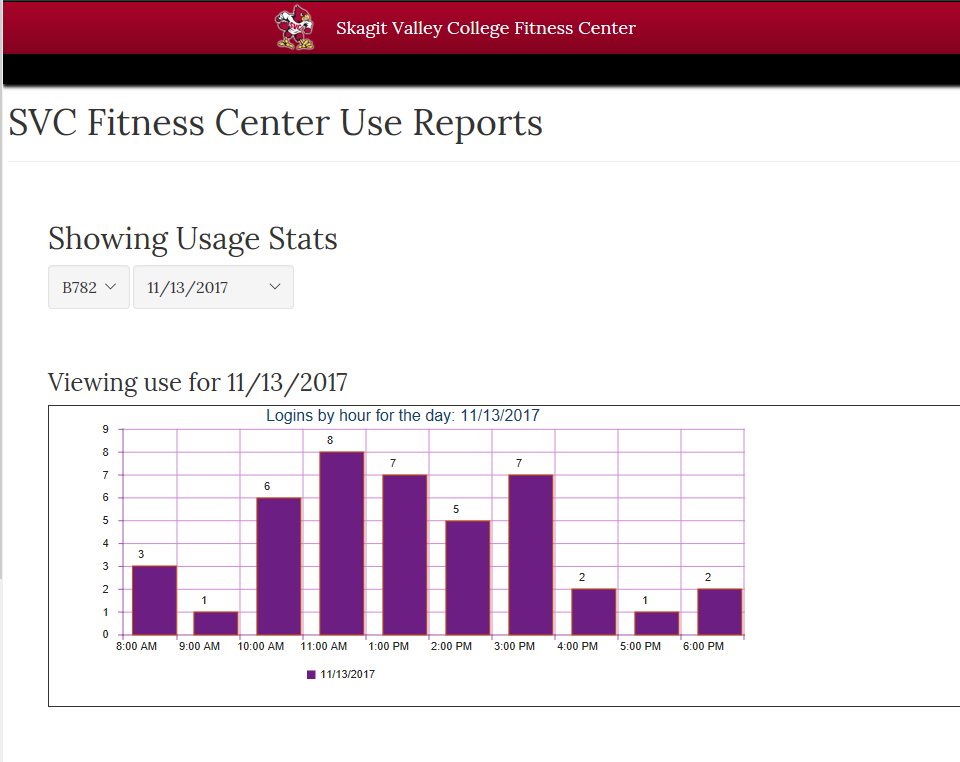
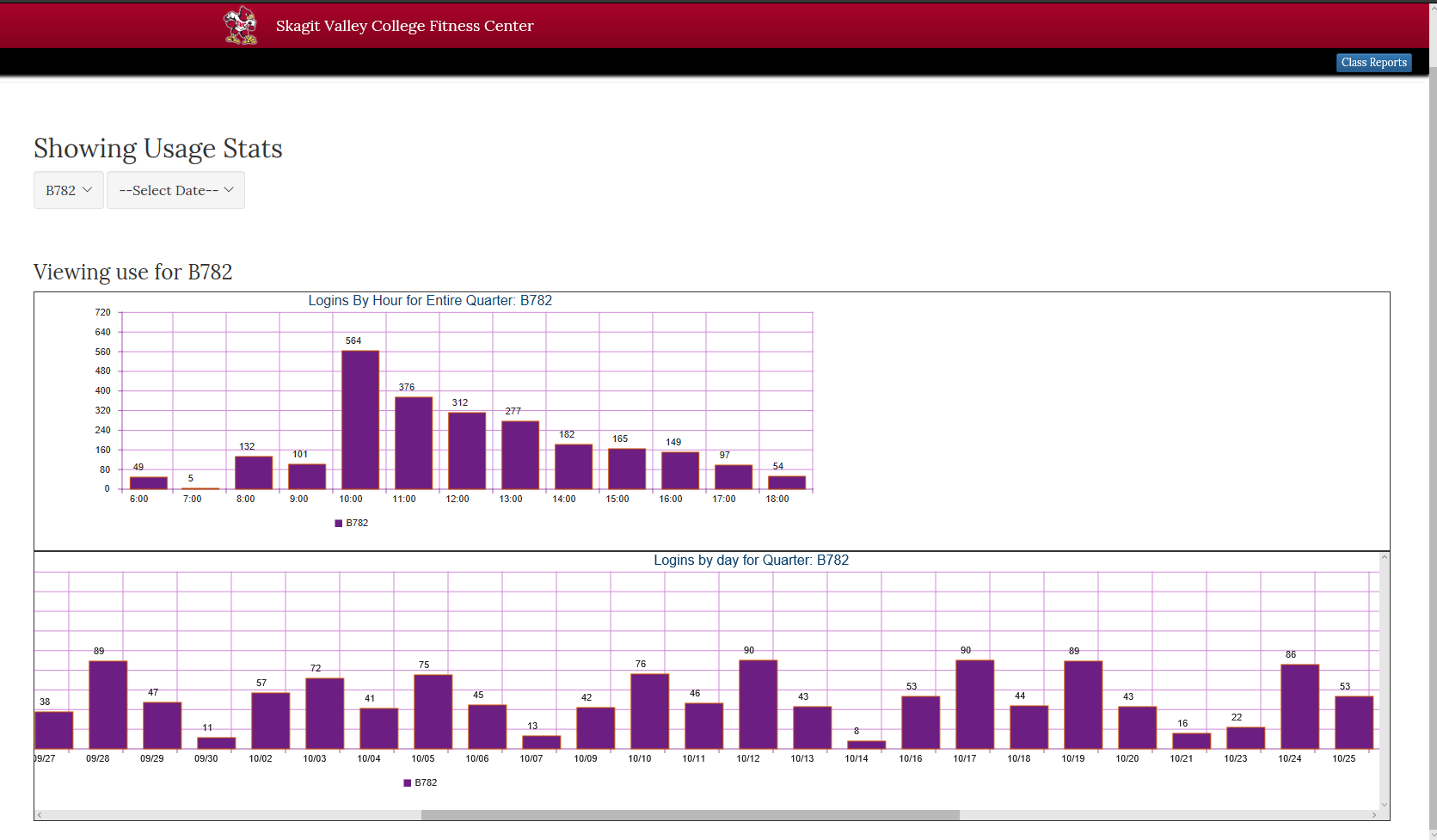
I was tasked to visualize the data from years of students using the Fitness Center. I worked with C# and SQL server to make make charts from the data. I used Visual Studio to create a WebForms Application and deployed to IIS server. I was able to leverage active directory to provide integrated authentication to this resource.
Screen shot of hourly use report.Screen shot of quarterly use reports.
Profile Of The Skagit Valley College Information Technology Development Team
I am writing this profile about the Skagit Valley College Information Technology Development Team because of the exciting research and development being done in the areas of paperless applications and responsive web technology. This innovative r&d is being done at my workplace so this is a subject that I have plenty of access to, and I am inspired by ideas and curiosity about it. If you use the SVC website frequently, then you will find the behind the scenes information to be very interesting and informative.
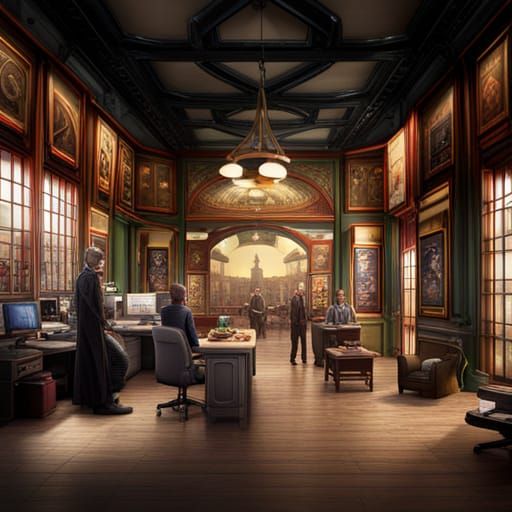
AI generated image
In the I.T. office where I develop paperless applications, the clack of heels in the hallway is echoed with the clickety clack of a keyboard that is most likely being worked out at over 50 wpm. There is a distinct buzzing noise that can be recognized as a computer’s fan, clearly straining to remove the heat and keep the hard working processor from melting into silly putty. Not too many people would notice such odd noises, these subtle signs of a computer user pushing his technology to the limits. These cues could easily blend into the background noises that surround our everyday environments and be indistinguishable from the hustle and bustle of the numerous students going about their daily studies.
AI generated image
Our team at the college is responsible for things to do with computers, technology and the Internet. There are 5 men in our core crew of Information Technology Developers. We create and manage the web pages applications, graphics and user interfaces that many of the students use every day. The information technology team that is quietly powering the entire Skagit Valley College information infrastructure is a talented team of Technology Specialists. This diverse group of enthusiastic developers has helped redefine the way technology is used and have dramatically impacted the future of web development. People may be surprised to know that this local team of developers has come up with such a remarkable system of responsive web development that is well ahead of major corporations.
There’s an interesting culture surrounding the information technology offices: they have rituals of coffee and pizza and laughter. They have very critical functions within the community of students who depend on them daily for support for everything from login to printing to writing the code that is behind the scenes running the very classes that they attend. There is a quiet sense of partnership and teamwork. A question is met with a smile and enthusiastic explanation, however I sense they want to stay behind the scenes and quietly keep everything running.
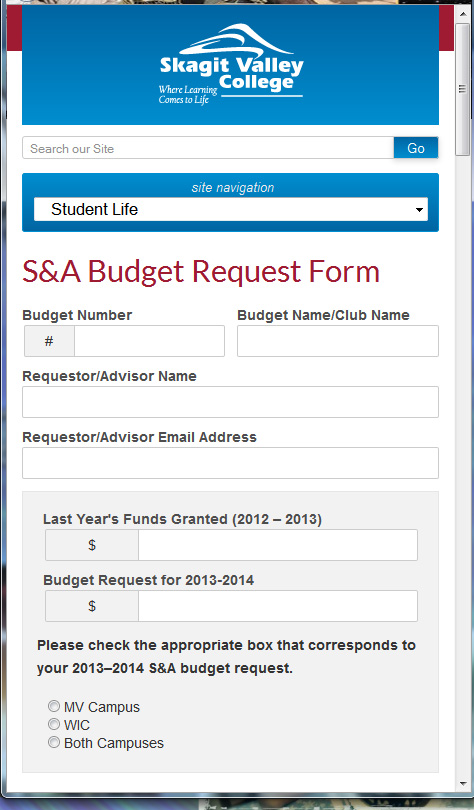
When people hear about the responsive website that the information technology development team created for the college, and how it’s a different user experience on every device, they seem find it very interesting and want to hear more about it. I began with the initial research of web frameworks and responsive web technology, and then I presented my findings to the web team. From there we decided to go with a responsive web site rather than creating a separate mobile site. The technology that we have put in to place can now detect a user’s screen size, and then “respond” by changing the web page to best fit the user’s devices from PC to smart TV to iPhones and beyond.
“Paperless Applications” is a new and rapidly growing field of technology. Going well beyond the traditional web form, this is a very green and efficient way of gathering information. Computer and mobile technology has advanced to the point that it is finally feasible to do away with paper forms and use electronic devices to gather information that a person would normally put on paper. This paperless technology is also a much more secure way to store the information, which is important as usually you are giving your name address and other personal information when you fill out these forms.
Let’s take for example the traditional job application form. If you go apply for several jobs and fill out paper applications with your name address and social security number and leave it with an employee behind the counter you are taking a big risk with your personal information and at the very least your privacy. An online web form based job application is easily accessible and filled out by anyone with a computer or mobile device. When the applicant has finished filling out the application this data is then saved and stored securely and only show the up for authorized personnel.
Some other great reasons to use paperless applications when the data is stored into a storage device, the device may be powered down and it then uses is almost no resources. The information that is stored in this method may be much easier retrieved and displayed in organized reports achieving higher efficiency than paper document storage.
I have future plans for this technology that I would like to use to really enhance eLearning and create a more interactive online classroom environment. I also have an application designed to protect children and sign them in and out of school, daycare or pretty much anywhere. That particular application is currently deployed in one day care and under consideration by the state of Washington for schools as well as the YMCA for their membership needs.
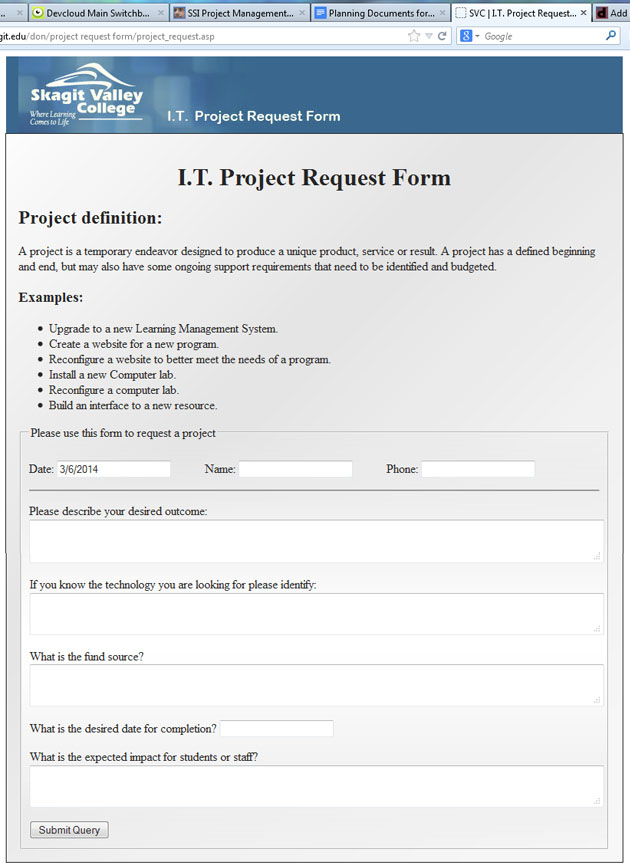
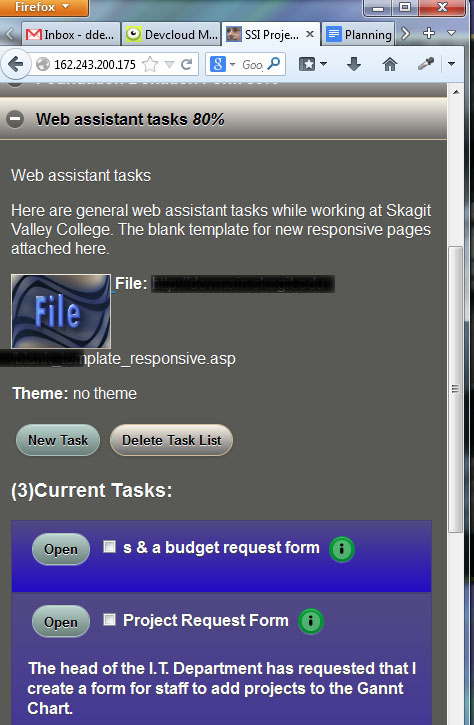
The head of the I.T. Department at Skagit Valley College asked me to convert the paper form that was used for submitting an I.T. Project Request. I used my 3DW DevCloud Tools to whip out this project in a small amount of time. My project management cloud is the perfect way to track and complete this project. As you can see from the tabs in the screen shot, I’m logged into my DevCloud, and have my task lists, notes and planning documents right at my fingertips. These powerful tools allow me to compete projects quickly and efficiently, using the best practices and techniques I have honed through the years of web application development at Skagit Valley College.
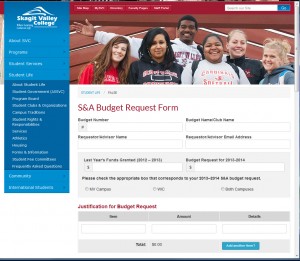
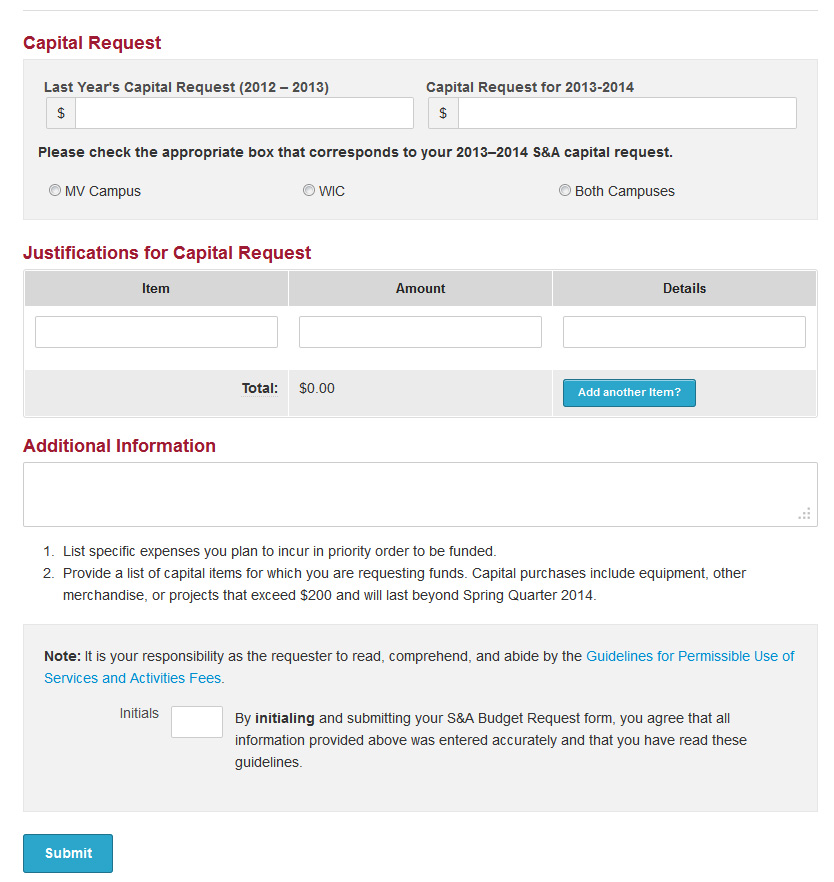
The Student Life services at Skagit Valley college offer clubs to the students. This service and activities organization requires certain paperwork for the club and organization to stay active and receive funds. The S&A Budget Request Form is a major source of paperwork for these clubs. I have been tasked to create an online form to replace the paper trail for this subject. The forms are very complex with a lot of required information and many dynamically generated fields. This lead to some very complicated problems to solve using my test driven development techniques.
One such problem arises when the users choses “Add another item” to their budget request. I must then adjust the client and server side validation to include the new item, and adjust the balance to reflect the new fields. The client side validation is using JavaScript, but the server side validation is using the ancient language of classic asp also known as vbscript. This is a challenging situation, and I responded with some innovative solutions.
On the client side, adding new rows to the table of “Justification for Budget Request” can be a simple javascript (JQuery) code:
$("#addline_budget").on("click", function(){ // this sets the event handler to capture button press
var new_justification_budget_item_count = Number($("#justification_budget_item_count").val()) + 1; // this keeps track of how many rows are in the table.
$("#addline_budget").closest('tr').prev().after("< tr>< td> my new row< /td>< /tr>");// this will add a new row to the table.
This form has some pre existing conditions that I must work with, for example the system to keep track of what fields are required for the client side validation uses a hidden field with the names of the required field. This actually makes it a little easier to add dynamic validation by simply adding the name of the field into the “required” list.
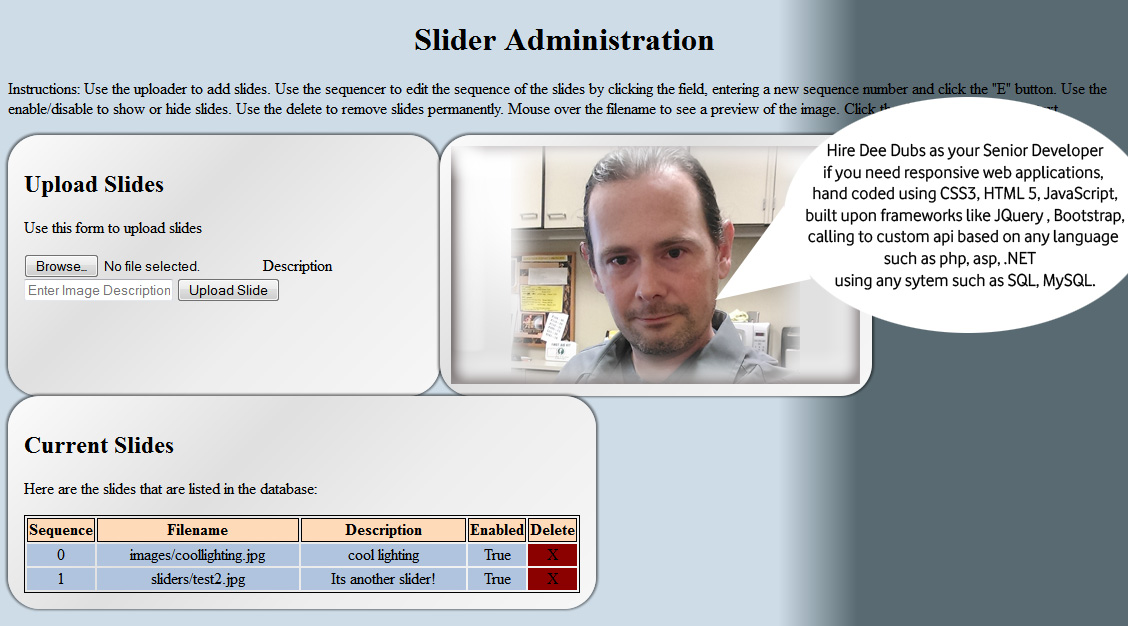
Due to my years of experience designing custom content management systems, I have been tasked with creating a plug in to the CMS at Skagit Valley College that will allow staff to administer their respective home page image sliders via a web based admin control panel. Features include list of slides, ability to upload new slides, delete slides, arrange the sequence of the slides, and control the display of the slides. The slides are live at www.skagit.edu
The users will also have the ability to administer home page banners. Features include list of banners, ability to upload new banners, assign banner to homepage, delete banners.
The purpose of this project is to reduce webmaster workload by allowing staff to admin their respective home page sliders and banners. I will be taking on the role of Senior Developer for this project, and will perform the duties of all roles including : Information Architect, User Experience Designer, User Interface Designer, Web Application Developer, SQL Database Administration.
I begin with the I/A documentation, the key to every successful project. After creating the Creative Brief, and clearly stating the objectives, purpose, target audience and timeline for the project, I then create the Flowcharts, Wireframes and User Stories.
With all the proper documentation in place, I have a clear project scope and will begin the design, develop and deployment by using my project management cloud.
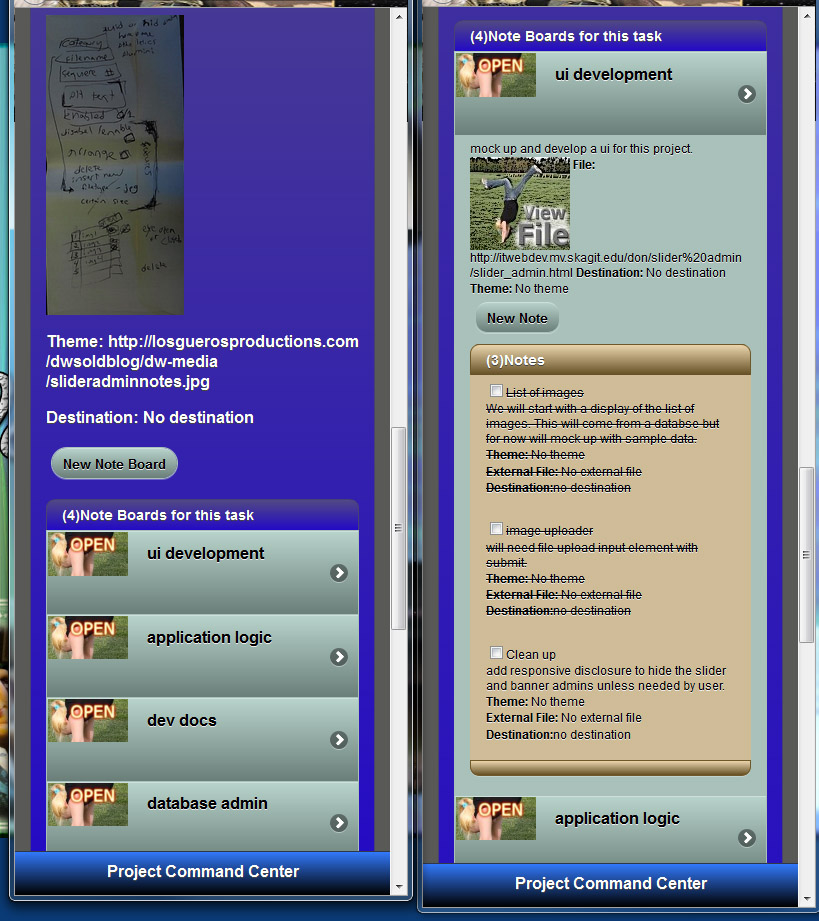
From the screenshot you can see the hand written notes from meeting with the client, and the task lists that I created for the project. Each task list is filled with the tasks that I need to get done, and notes about each topic. It really helps keep me on track and manage the progress for the project.
I am going to develop an object oriented api for this project, with the application programming interface expressed in javascript and vbscript.
The api to handle the upload of slides will be interesting, since there isn’t a build in method for capturing the form upload data. We are using a third party library to handle the upload, and I haven’t even seen it yet.
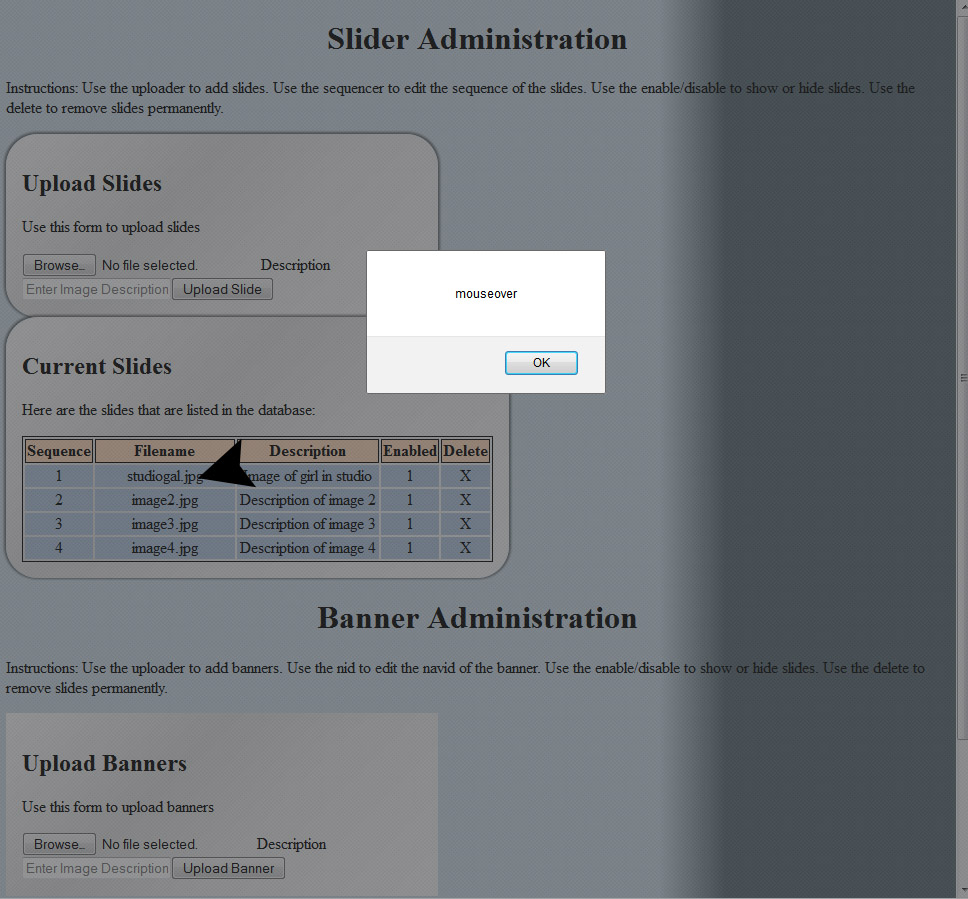
I have the list of slides layout in a table, since its the perfect use of tablular data. The list is generated dynamically and injected into the dom via a call to the api. This has the effect of negating my events that I place on the image to have a mouseover thumbnail preview. I need to use the doc delegate that I deved into in a previous article.
Im going to delegate the event to my slides layout table, and then apply it to any td element with the class of “previewzone”. So lets slap it on there and see if it works…
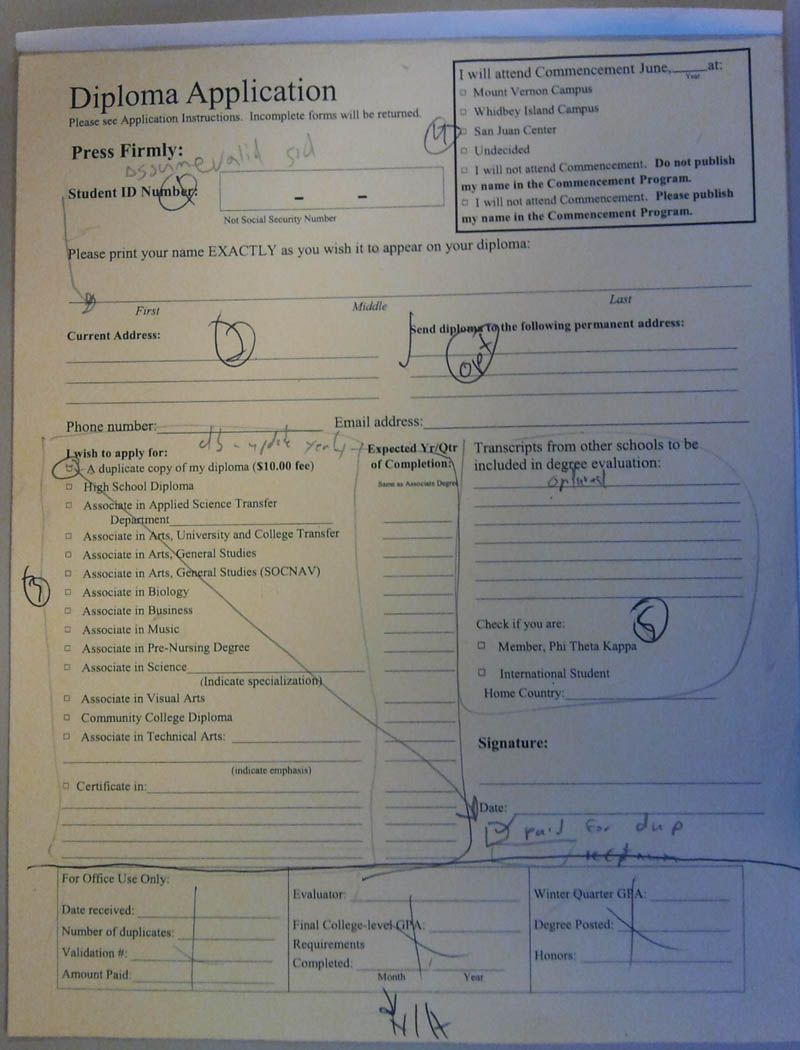
One of my first jobs when helping SVC move from paper to digital workflow was to create a way for students to apply for graduation. This is a significant achievement in for Skagit Valley College because because these paper forms have been used by every graduating student since 1926!
Paper Graduation Application Form
The process toward the end result would not be as effective if I didn’t use my project management cloud to outline the project, make task lists and keep track of progress. The following would be a sample of the task lists I created for this project…
Meet with client and get project scope.
Create all the I/A Design documents including project brief, user case studies, flowcharts and wireframes.
Obtain approval of designs from supervisors and clients.
Develop the application in an Agile Test Driven Development Environment using the Model View Controller programming technique.
Run user tests and edge case scenarios.
Deploy application in student toolbox.
While developing the Diploma and Document Application Form I have come up with an algorithm to plug into any form or content that will transform it into a paperless web application with the following features:
To a developers point of view the best thing is Automation!
Content organized and displayed to the user in an easy to navigate style.
Client side validation for form elements when and where needed.
Form summary and easy ability to make changes before submit.
Takes care of form data submission using Ajax to hand the data on a silver platter to any api.
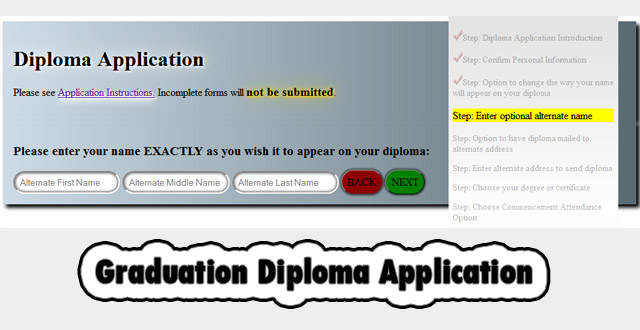
Here are some screenshots during development when I plug in my css styles library and call a few custom styles.
Screen shots of the diploma application with styles modified by plugging in my 3dw styles library.
Here are some screenshots of the finished product using styles provided by the marketing department.
Here is an app inspired by my friends at the college, where the user touches, the screen cracks and makes a crunching sound effect. This needs some finishing touches to be released into the app market. I made this in Flash CS5 during class at college.