In charge of final detail cleaning of new construction projects. Promoted to foreman in charge of leading cleaning crews from 13-22 men on large scale projects to government standards.
One Pacific Tower – 2000 1st Avenue, Seattle, WA 98121
Lead cleaning crews of up to 22 men to provide final detail cleaning for turnover completed project to owners. One Pacific Tower is a 27-story luxury tower on 1st Avenue on the edge of Belltown and Downtown Seattle just 2 blocks from Pike Place Market. The affluent 27-story tower features a 24-hour concierge, indoor pool, guest suite, club room and 80 units which boast expansive western views.
Everett Navy Exchange
Lead 13-22 men crews to final detail clean the entire 60,000 sq ft mall after 18 months of construction. The amenities included full size auto repair shop, hair salon, dry cleaners, food services, retail sales, large restrooms, and 1000’s of square feet of windows. This was an enormous project to manage, and even back then I used a computer to come up with solutions to time, project and staff planning and management.
Since 1989, Ford Golf Classic funds have provided financial assistance to thousands of SVC students of all ages. I am proud to have been chosen to create and maintain a paperless form for sponsors to register and pay for the event. I created the user interface using responsive HTML5, JavaScript, JQuery. On the back end, the web application is using my API written in ASP to talk to SQL Server. I used automation algorithms to have the form open and close at appropriate times. I have used responsive disclosure and live view error reporting to guide user through the registration and ensure a great user experience.
My process to create this kind of paperless application is derived from the Model View Controller programming model. I start by outlining the tasks in my project management cloud, setting myself up for success with a clear roadmap toward the well defined end goals.
The next step is to create the I/A Documentation:
Then I develop the UI view and the application logic following the plans I have created.
The final stage is to run all of the user stories and case scenarios, noting and fixing any problems discovered by the tests.
I have come up with a technique to allow the user to edit content “Inline”.
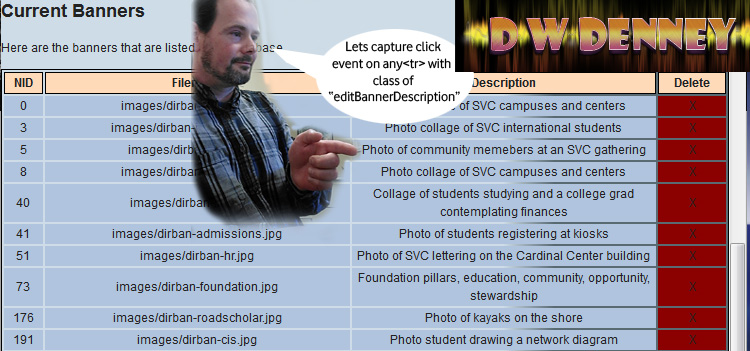
Lets look at an example. I have a table of data, and the user needs to be able to edit the “Description” Field. Rather than take the user away from this ui view, I wish to enable “Inline Editing” like many powerful applications are offering these days.
The first step is to assign functions to the correct fields and capture the users input events. The user would click on the field to select it, so lets set up a doc delegate event to capture a click on the description field. We need to use doc delegate because the data is dynamic and so isn’t in the DOM when the events handlers are normally assigned. Read my post about JQuery Document Delegate to catch up on this technique. I am going to delegate the capture of a click event on any table row <tr> with a class of “editBannerDescription”
$("#bannerslist").on("click", ".editBannerDescription", function(e){
var thedata=$(this).html();
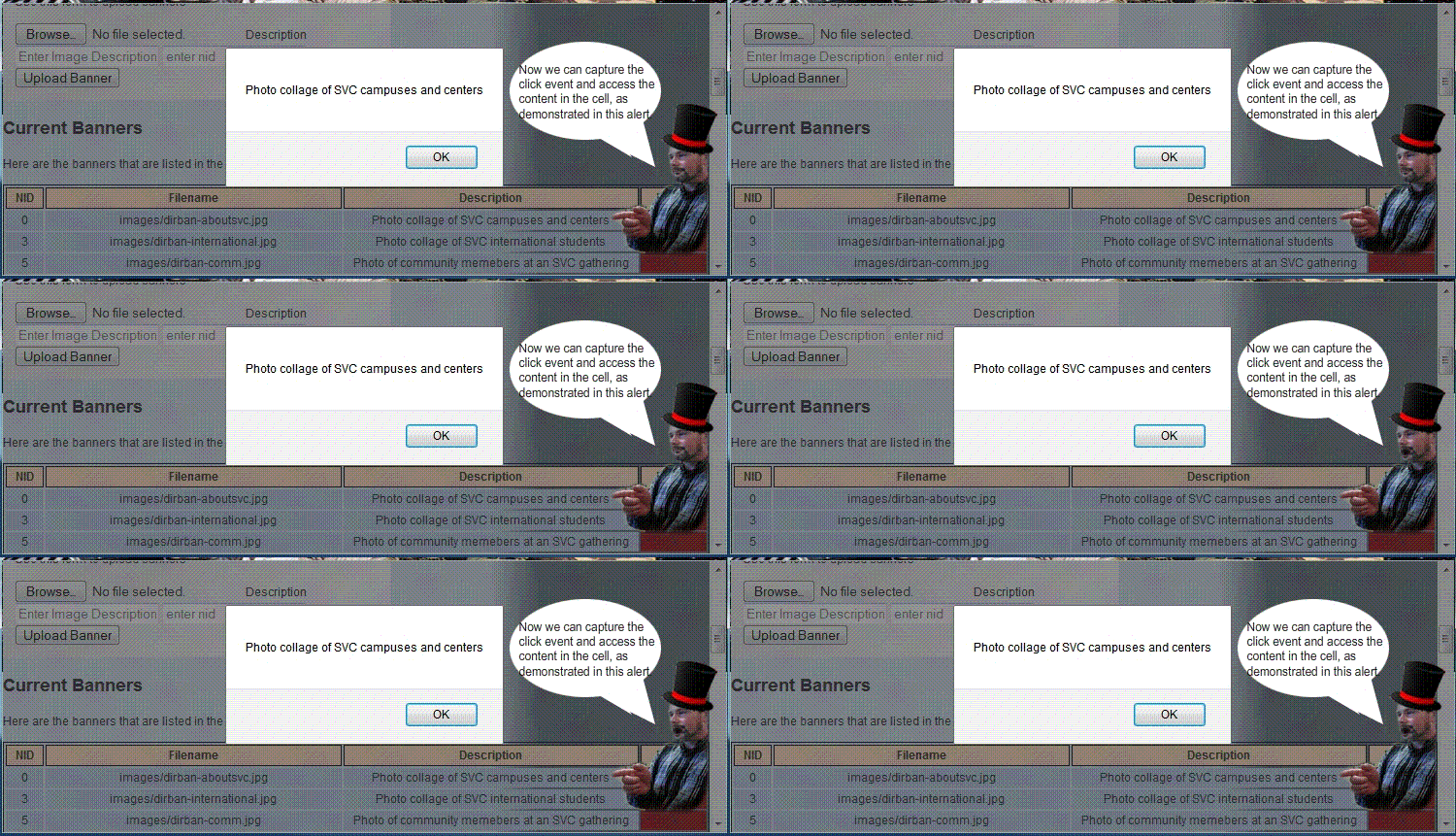
alert(thedata);
 });
Yeah boyeee we have captured a click event for any element in the bannerslist table, and have access to the content that is in the table cell.
The next step is to alter the ui view so the user can edit the contents of the description table cell. I use a JQuery / JavaScript function to accomplish this:
enableEditDescription(object, bannernid){
     console.log("Message from enable Edit Description function: lets
enable to edit the description of slide id:"+bannernid+" from
description of : "+$("#"+object).html()); }
I will continue to modify the enableEditDescription function to alter the ui view when the user clicks. I will grab the content from the cell, and replace the content with a text area whose value is the text that was in the cell.
The final code looks like this:
$("#bannerslist").on("click", ".editBannerDescription" , function(e){
var thedata=$(this).html();
var object=$(this).attr("id");
var getbannernid = object.match(/d+$/);
if(getbannernid){
    bannernid=parseInt(getbannernid[0], 10);
    console.log("Message from banner admin inc, here in doc delegate for
     editBannerDescription with content of :"+thedata+" in cell
     object id: "+object+" for banner nid: "+bannernid);
     enableEditDescription(object, bannernid);}
else{ alert('error getting id');}
 }); // end #bannerslist doc delegate actions
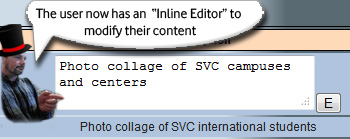
Now, when the user clicks a table cell with editable content, the cell changes into an inline editor.
The user needs to be able to “escape out” of the edit mode, discarding any changes that were made in the field.
Lets start with capturing the escape key press event when the user is in an editing field. We’ll use the good ol doc delegate to capture this as so…
$("body").on("keydown", "textarea, input", function(e){
if(e.keyCode==27){
console.log("We have key press of escape key, on event target " + e.target.id +
" lets exit edit mode without saving changes. Lets decide what place they're editing...");}
}); // end on keydown event handler
Now I can put back the original content of the cell and the user will have “escaped out” of edit mode.
The next step is going to be really fun. We are going to capture the press of the “Edit” button and save the new content into our cms.
SQL server has some drastcally different techniques than one would use on MySQL. Here are the resources I have used to power through the projects I am assigned.
Truncation of insert when too large for field doesnt happen in SQL. It causes an error and the transaction is canceled.
Well, I have come across the need to make sure that a string doesn’t contain any code that would make it a link. For example, I need to allow the user to enter a filename but not have any html code in it.
For this current situation:
<a href=”myfile.html”> is an invalid string.
http://myfile.html is an invalid string.
I want the user to only be able to submit “myfile.html” and then I will handle the linking and referencing using server side code.
[code] function checkurl(){ // function to ensure no a href or quotes get in here.
console.log(“Lets check the url to make sure no a href or quotes”);
var thelink=$(“#slide_external_link”).val();
if(thelink !== “”){ // check for stuff we dont want.
if(thelink.match(/href=”([^”]*”)/g) || /^(f|ht)tps?:///i.test(thelink)){ // this looks like it comments out after i.test, but its workin.
console.log(“Can’t process the request because there is code inside the string. We only want the address of page without anchor code”);
alert(“Please remove any anchor code from the external link. An example of valid entry is: directory.asp_Q_pagenumber_E_520”);
return false; } } } // end check url funk[/code]
Now I can call this function as part of my client side validation upon form submit. I also need to implement a server side catch as well, just in case.
I have come across the need to update a ui view of tabular content to be sorted by numeric order ascending. Javascript has a sort() that can be used for this purpose. I will use jquery for its powerful and easy selection capabilities.
Here is a sample of the tablular data:
Sequence
Filename
Description
Enabled
Delete
0
sliders/test.jpg
Its a slider
True
X
1
sliders/test2.jpg
Its another slider!
True
X
2
my file location
my file description
True
X
When the user changes the sequence, I would like to update the ui view to reflect the changes in the display order.
I have given each row of the table that contains sortable data a class of “sort”
Then I use Jquery to select those rows, and sort them by the number in the sequence column.
function sortthetable(whattable){ var $tbody = $('#'+whattable); $tbody.find('tr.sort').sort(function(a,b){ var tda = $(a).find('td:eq(0)').text(); // can replace 0 with the column you want to sort on var tdb = $(b).find('td:eq(0)').text(); // this will sort on the firstcolumn // if a < b return 1 return tda > tdb ? 1 // else if a > b return -1 : tda < tdb ? -1 // else they are equal - return 0 : 0; }).appendTo($tbody); }
Here are some great techinques that I have come up with while working as paperless applications developer at SVC:
Working with money can require a lot of scripts to ensure sucessful data entry , transfer and saving.
One thing that comes up is the errors that users can make when entering the figures for money into a form. The forms will have many different requirements for entering the monetary information, such as type of figures desired. For example, on one form, I need the user to only enter a whole dollar amount, and I need to make sure that no dollar signs, cent signs or punctuation make it into the calculations for totals.
Here is a script to clean an entry of all dollar signs, cent signs, punctuation and ensure that whole dollar amounts are entered. For this usage, I have set up the function to be passed a Jquery object of a textfield , and the function will get the value, fix it and put it back in.
[code language=”javascript”]
// strip out any $$ .00 and anything else
function stripper(who){
dirtynumber = $( who ).val();
cleannumber = parseInt(dirtynumber.replace(/[^d.]/g, “”));
if(isNaN(cleannumber)){cleannumber=0;}
$( who ).val(cleannumber); }
[/code]
Here is a script to compare two values to make sure they are the same:
[code language=”html”]
// ensure budget items total match budget request
var amount1 = parseInt($(“#fund_request”).val().replace(/[^d.]/g, “”));
var amount2 = parseInt($(“#justification_budget_total”).val().replace(/[^d.]/g, “”));
if(isNaN(amount1)){amount1=0}
if(isNaN(amount2)){amount2=0}
if(amount1 !== amount2){alert(“The total budget request : ” + amount1 + ” doesn’t equal the budget justification item total: ” + amount2 + “. Please check your numbers and re submit.”);return false;}
[/code]