By Donald Denney | Realm Forge Academy
There’s a moment in every emerging technology’s lifecycle when it crosses over from novelty to necessity. For mixed reality, that moment is now — and it’s happening inside web browsers.
As part of the Realm Forge Academy course Defining a New Reality: Enter the Metaverse, I’ve built a browser-based mixed reality tool that lets students use their device camera to detect a flat surface in their physical environment and place a 3D avatar into a fixed position in the real world. No app store. No headset. Just a browser and curiosity.
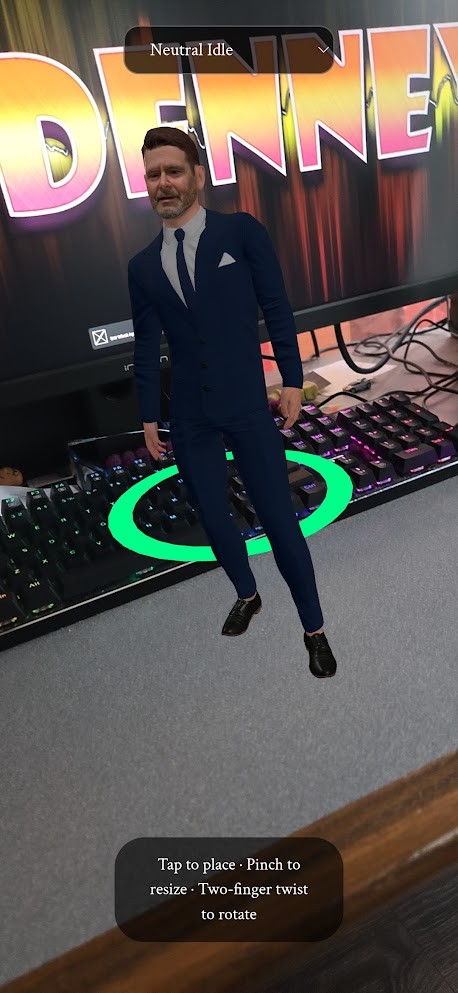
[Image: Screenshot of the MR tool detecting a surface and placing an avatar]
Why Mixed Reality Matters for Learners
Mixed reality occupies a unique position in the extended reality spectrum. Augmented reality overlays digital content onto your world. Virtual reality replaces your world entirely. Mixed reality does something fundamentally different — it merges the two so that digital objects don’t just appear in your space, they belong there. They interact with your surfaces, anchor to your floor, and stay put when you walk around them.
For students learning to build for the metaverse, understanding this distinction isn’t academic — it’s foundational. And the best way to understand it is to experience it firsthand by building it themselves.
The Technical Approach
The tool is built on Three.js and leverages native device capabilities — specifically camera access and surface detection — through the browser. This matters more than it might sound. The traditional path to mixed reality development runs through platform-specific SDKs, proprietary toolchains, and hardware gatekeeping. A browser-based approach strips all of that away.
A student with a smartphone and a web browser has everything they need to place a digital character into their living room, their classroom, or their backyard — and watch it hold its position as they move around it.
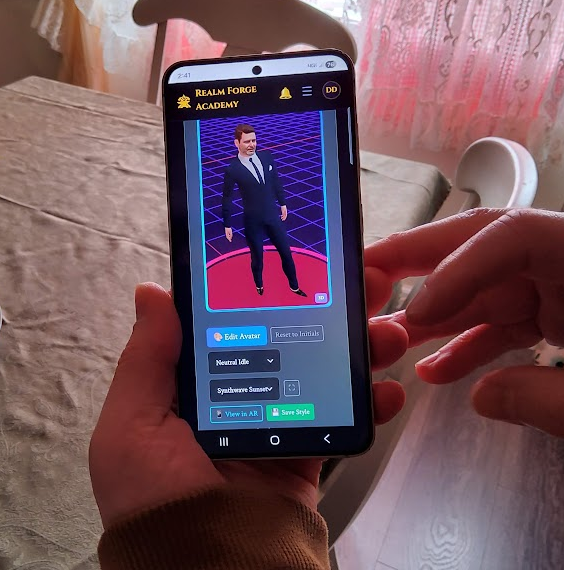
[Image: Student perspective showing the avatar anchored in a real-world environment]
Accessibility as a Design Principle
This wasn’t a technical shortcut — it was a deliberate pedagogical decision. When the barrier to entry is “open a URL,” the entire conversation about who gets to learn spatial computing changes. There’s no download wait, no device compatibility checklist, no $3,500 headset requirement. The tool meets students exactly where they are, on the devices they already own.
That’s the philosophy driving Realm Forge Academy’s entire curriculum: the most powerful educational technology is the kind that gets out of the way and lets the learning happen.
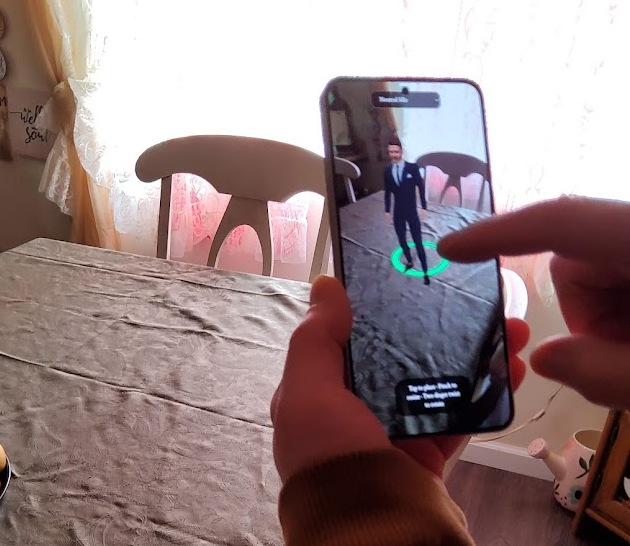
[Image: The tool running on a mobile device in a real-world setting]
What Comes Next
This surface-detection tool is one component in a larger course that walks students through the full spectrum of immersive technology — from AR filters to fully realized virtual worlds. Each lesson builds on the last, and each one puts working technology in the student’s hands, not just theory in their head.
Mixed reality isn’t science fiction anymore. It’s a browser tab.
Learn more at realmforgeacademy.com